Bus select
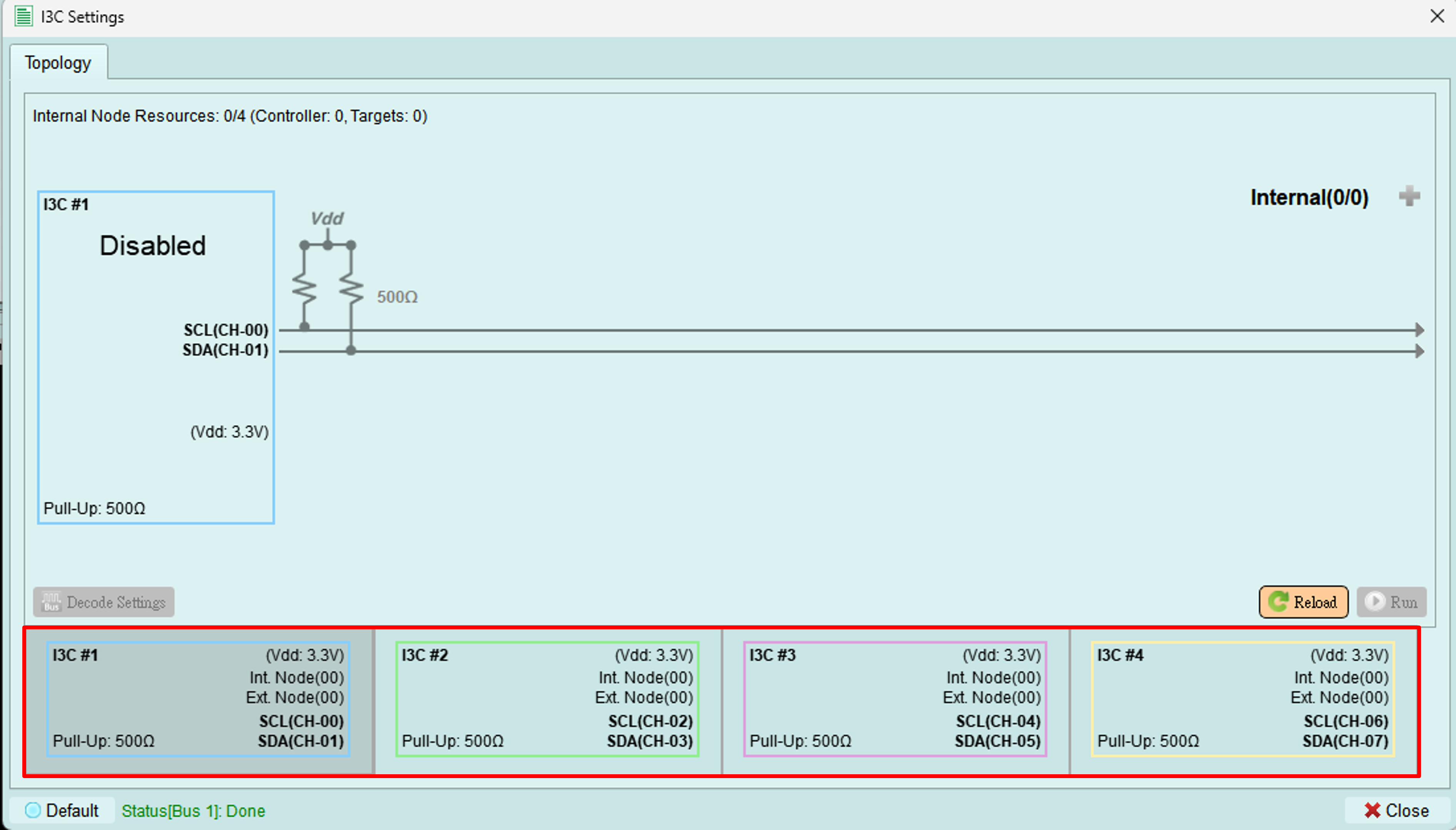
Choose the bus configuration for MIPI I3C operations.
Available bus configurations
MIPI I3C supports two main bus configurations:
1. Multi-lane MIPI I3C
Uses multiple data lanes in addition to the standard clock and data signals, following MIPI Alliance specifications.
Features:
- Increased bandwidth
- Additional data lines beyond SCL and SDA
- Enhanced performance for high-speed applications
Status: Multi-lane function will be released in a future version1
2. Traditional two-wire MIPI I3C
Standard I3C configuration using only SCL (clock) and SDA (data) lines.
Features:
- Compatible with I2C legacy devices
- Standard MIPI I3C operation
- Support for up to four buses
Status: Additional buses (beyond one) will be released in a future version1
Channel assignments
Important: Channel assignments for each bus are fixed and cannot be adjusted manually. The device automatically assigns channels based on your bus selection.
Selecting a bus
- Click on the desired bus in the topology diagram
- The selected bus is highlighted
- Configure the bus using PX Pair Settings
- Add devices and set up topology
Current limitations
- Only one bus is currently supported for operation
- Multi-lane configuration is not yet available
- Channel assignments are fixed per bus