SGMII
Feature:
Supported Models:
| BF6264B | BF7264B | BF7264B+ | BF7264 Pro |
|---|---|---|---|
| ● | ● | ● |
BF7264B/B+/Pro has two USB holes at the front.
The host keeps all the functions of its predecessor, the BF6264B, and adds the SGMII analyzer function.
Specifications:
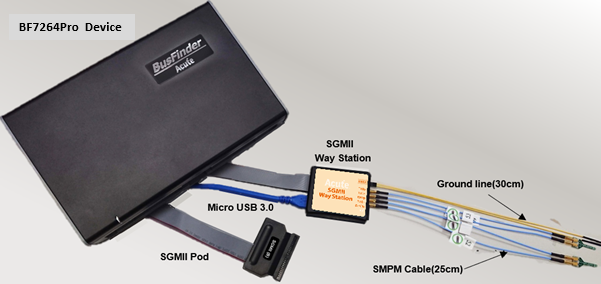
BF7264Pro, 32Gb RAM, SGMII Probes
- Supports 1000/100/10 Mbps SGMII: Data signals operate at 1.25 Gbaud and the clocks operate at 625 MHz (a DDR interface).
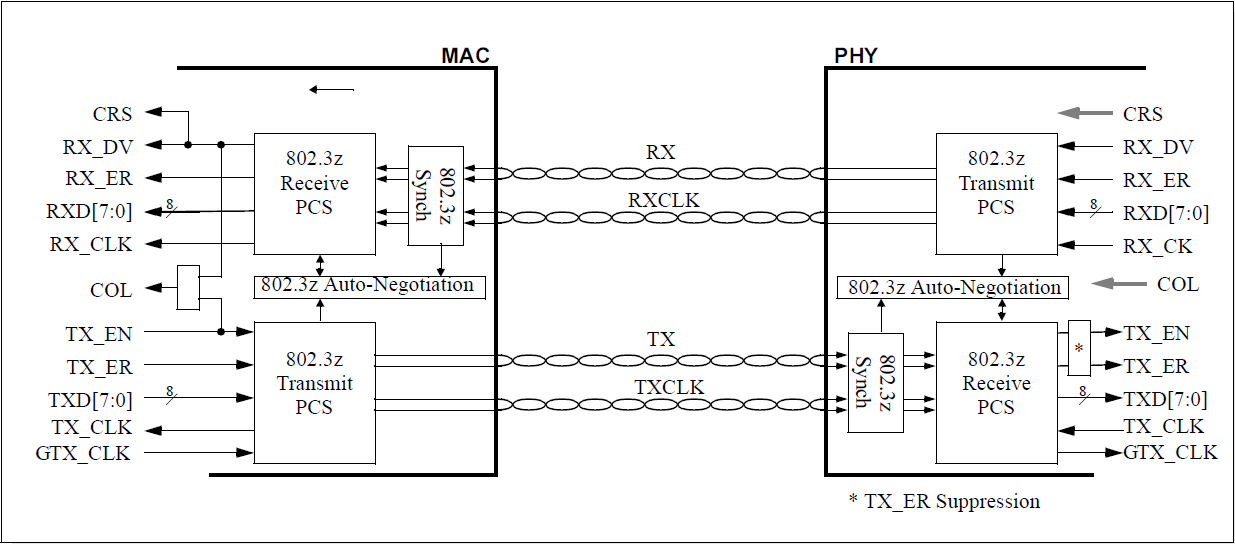
- Can simultaneously display PCS(PHY) or GMII(MAC) protocol packet data in tabular form, including command parsing.
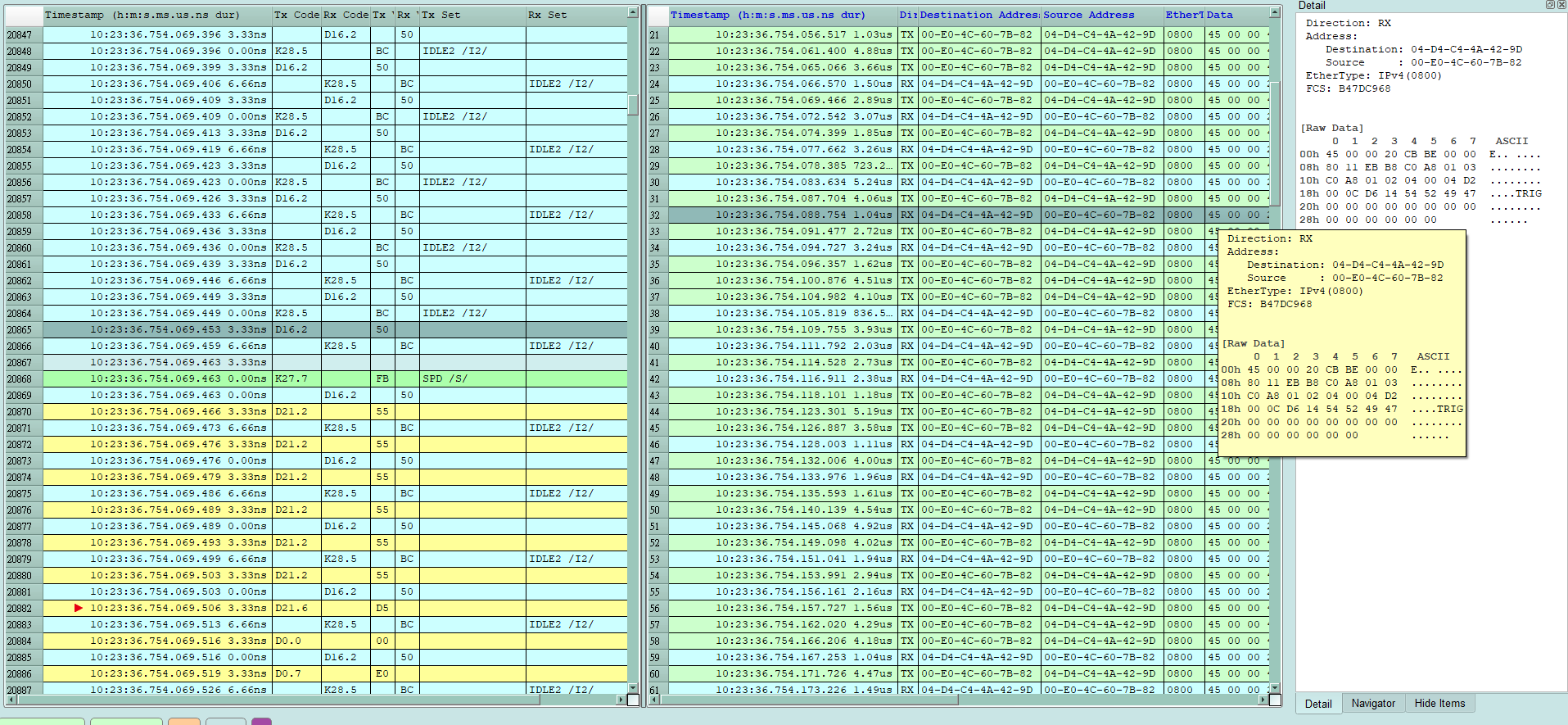
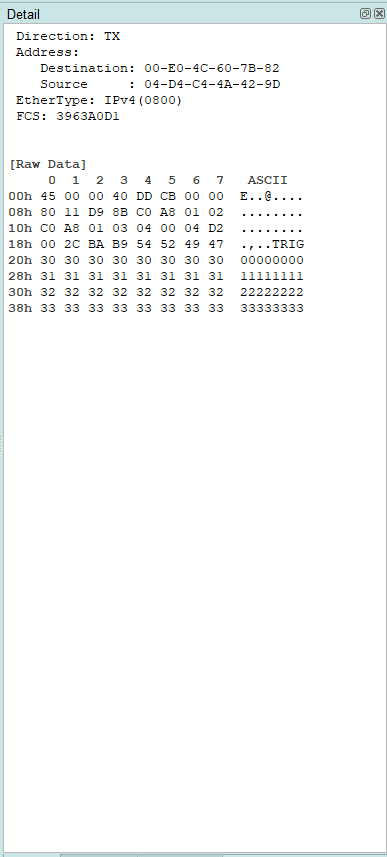
- Use 32Gb RAM as the buffer to stream all Way Station data into the SSD/HDD.
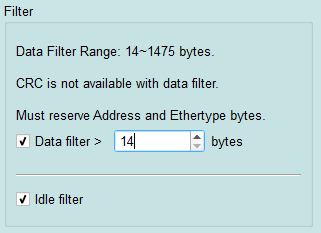
“Data Filter” & “Idle Filter” filter unwanted data and idle to save memory.
- “Search” searches specific data.
- “CRC Packet” displays and counts CRC
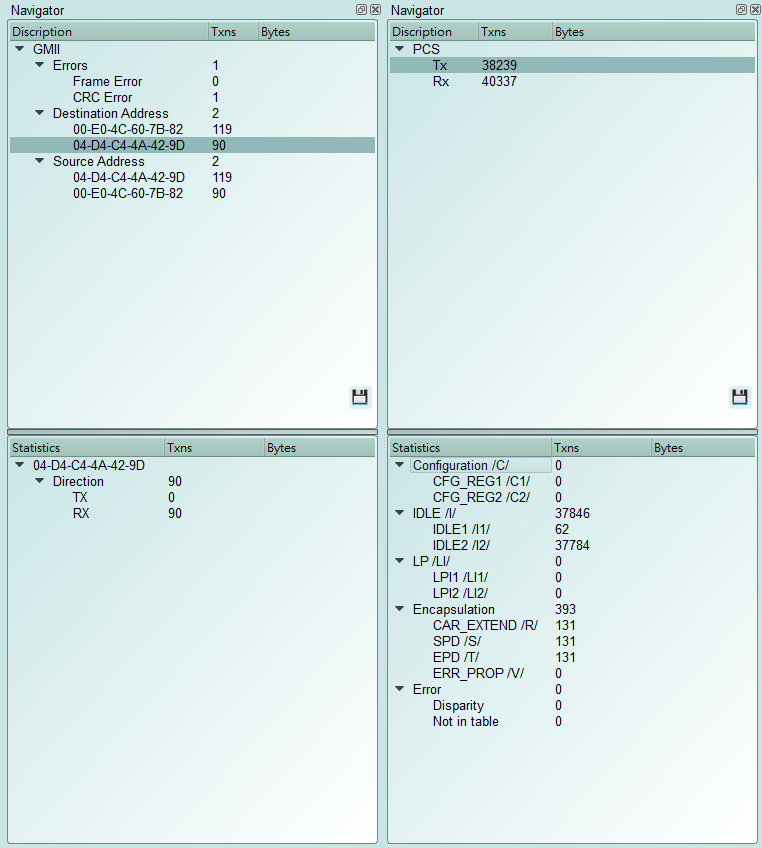
- SGMII command statistics include the number of packets, per-command counts, different data lengths, and errors
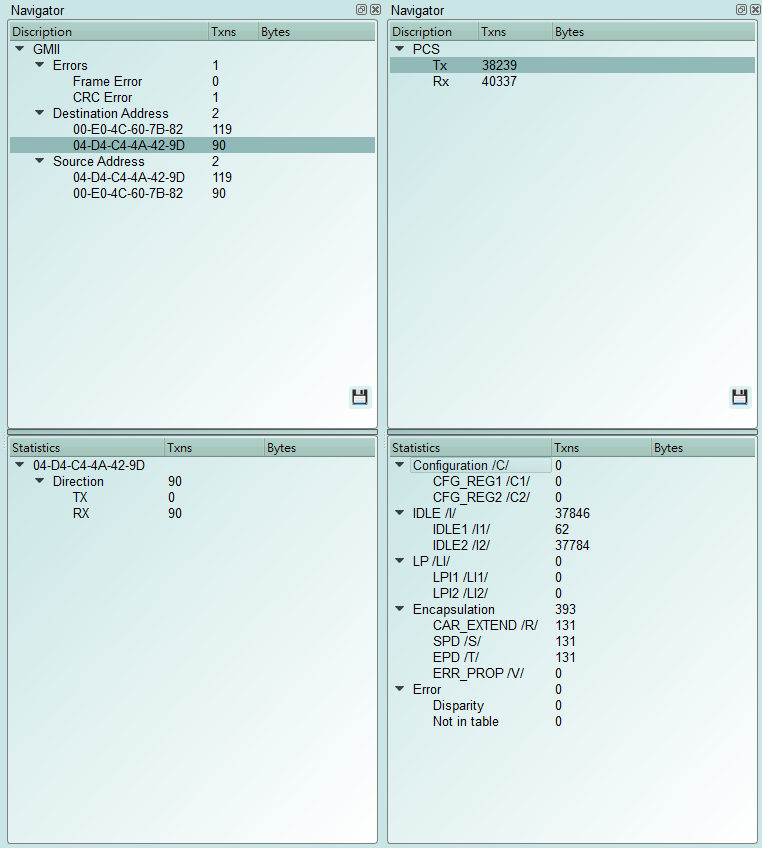
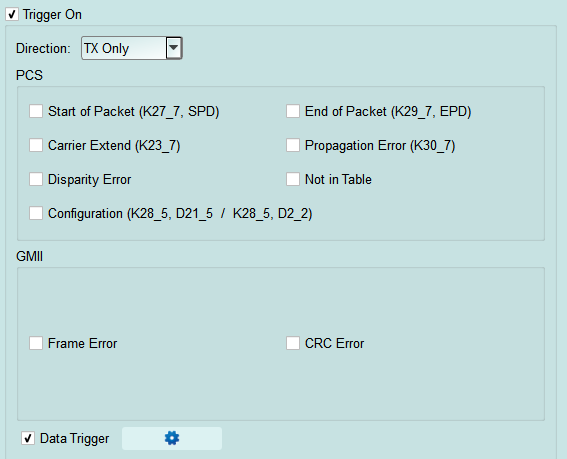
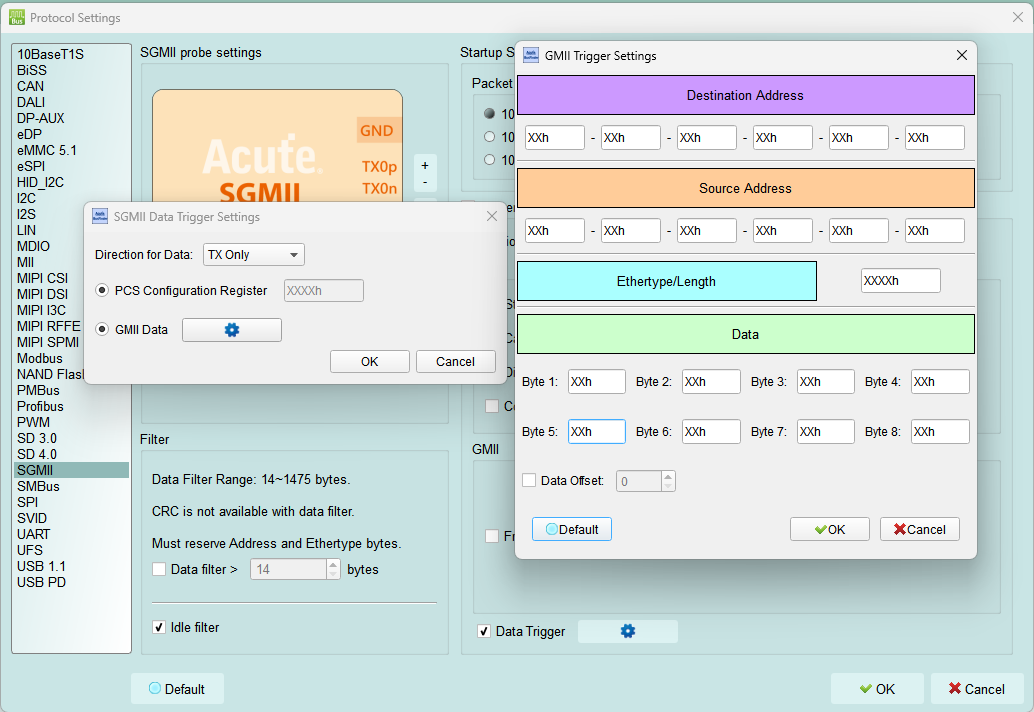
- SGMII command trigger
- Trigger parameters include commands and data in order to cover all kinds of packets.
- GMII & PCS Packet
- Trigger CRC Error, Frame Error, Propagation Error, Start of Packet, End of Packet, Carrier Extend, Configuration.
- The Trigger-Out port is to trigger a DSO to capture waveforms
9. Advanced usage of the report area
- Dual report correlation: PCS and GMII reports are related to each other. Double-click to track the corresponding data in another report area.
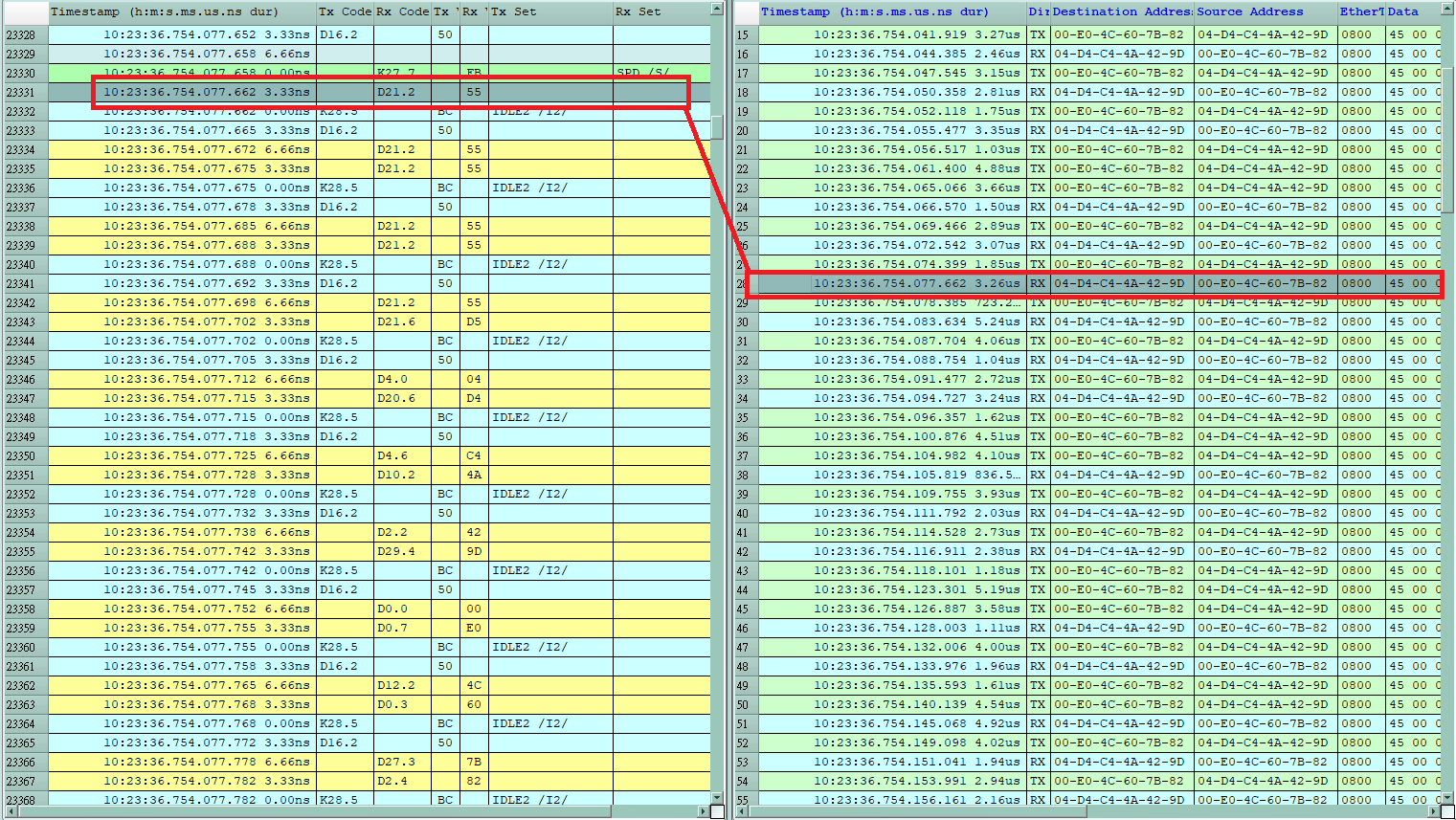
ex: Click the PCS area report to link to the GMII corresponding report.
- Statistics list: Quickly categorize and track the location of data with statistical functions.
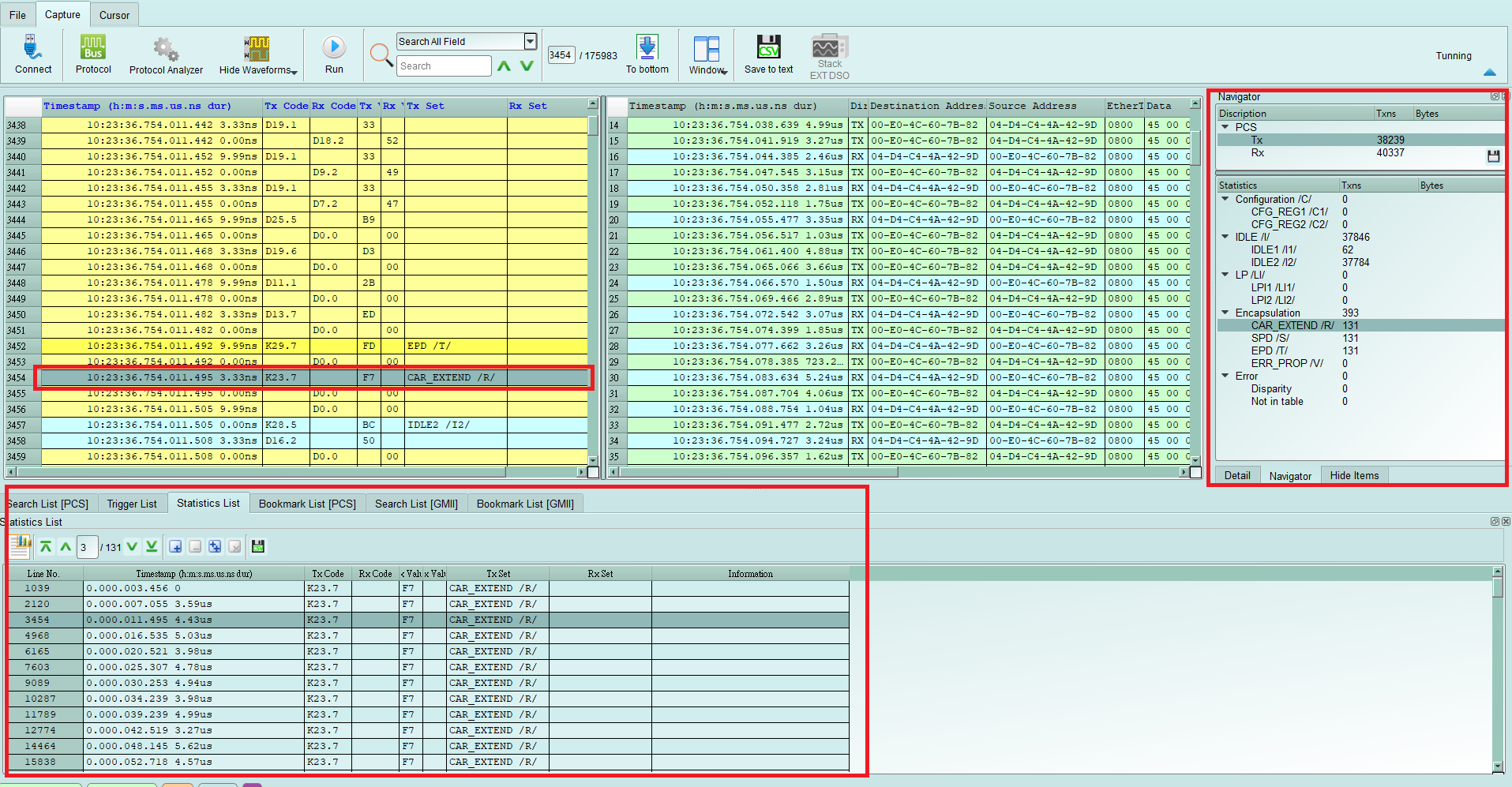
- SGMII settings
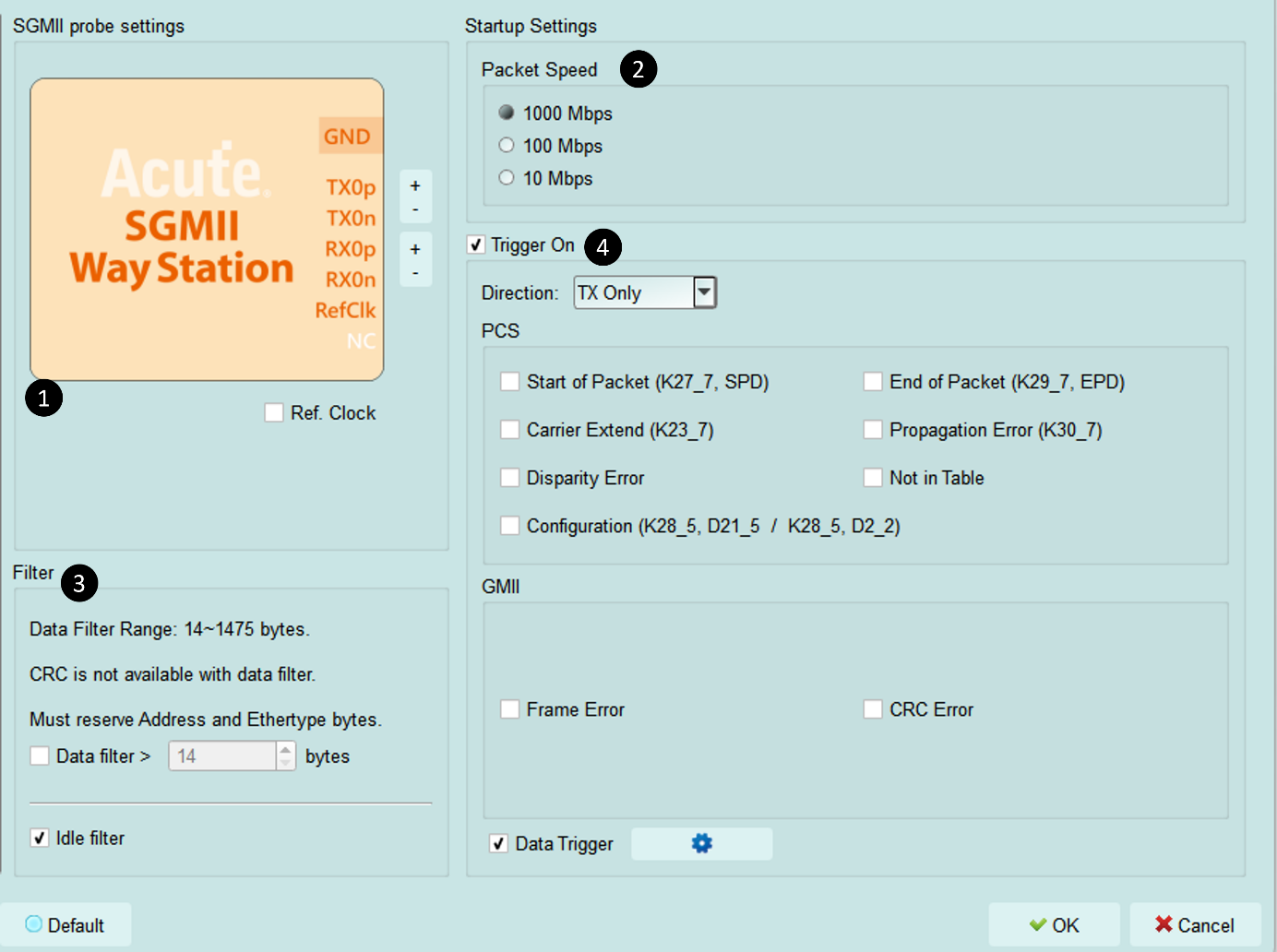
- SGMII way station settings: Exchange p and n of the same Lane.
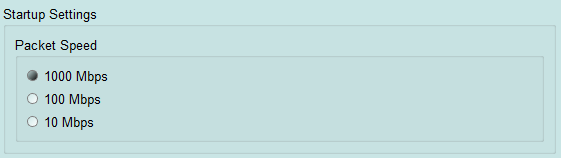
- Startup Settings: Set the Ethernet packet speed as it is at the moment of capture.
- Filter: With Data Filter enabled, packet data beyond the set length is filtered out. With Idle Filter enabled, Idle packets are filtered out to save memory during recording.
- Trigger On: Set GMII/PCS packets, CRC Error, Frame Error, Propagation Error, Start of Packet, End of Packet, Carrier Extend, Configuration, Disparity Error, and Not in Table trigger settings.
FAQ
- What SGMII speed is supported, any limitation for differential ports?
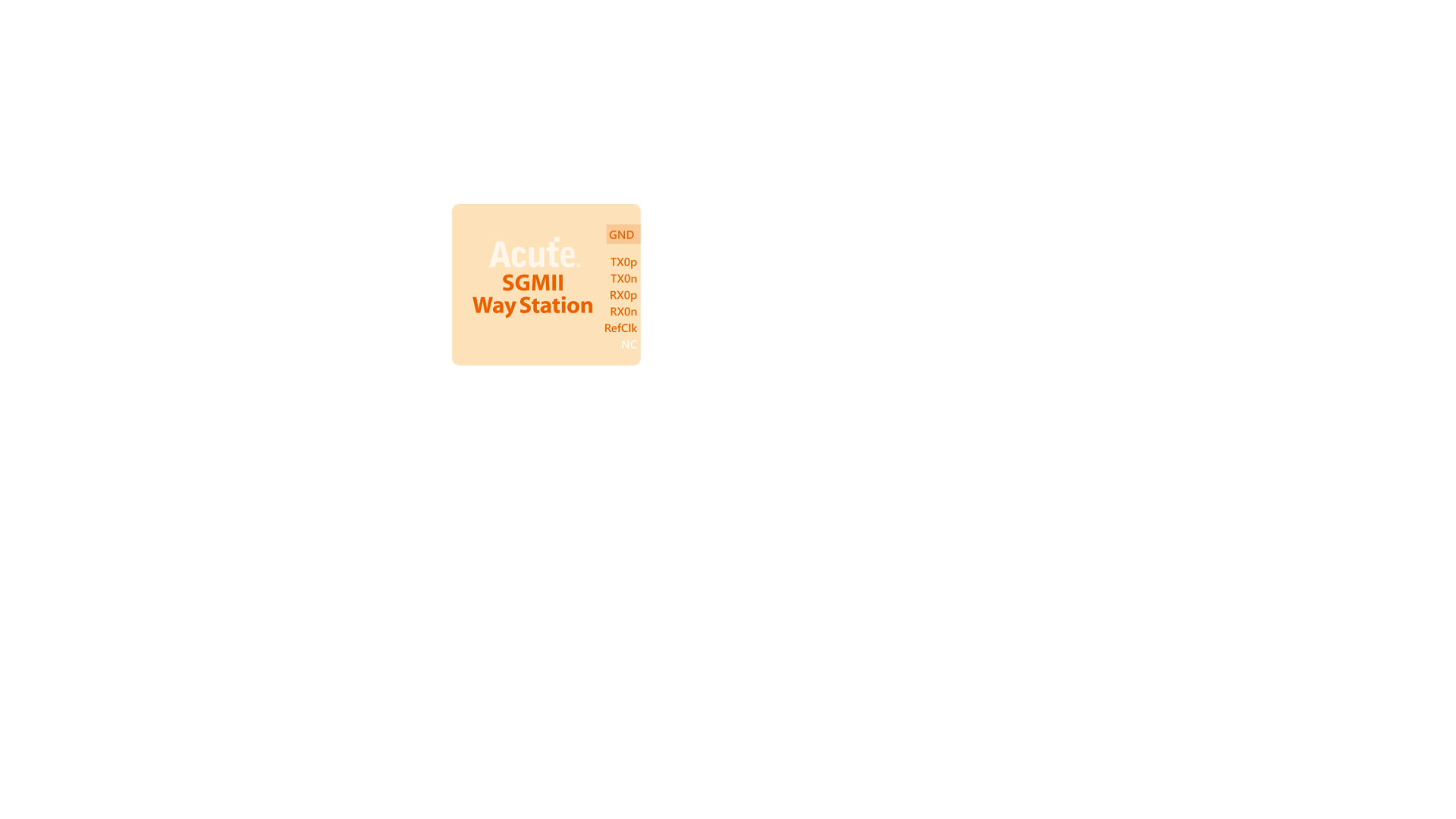
- A: Supports SGMII 1 Gbps, 100 Mbps, and 10 Mbps. Ports: TXp, TXn, RXp, RXn, Ref.Clk.
- Will the signal quality be affected during measurement?
- A: The measurement of the external instrument will inevitably have some load effect. We use the SMPM Coaxial Cable connection to reduce the interference of the object to be measured and improve the signal quality.
- Is Tx supported?
- A: No
- Precautions during measurement a. Startup Settings:
SGMII supports different packet speeds. If the initial speed is not set correctly, the data volume will be 10 times or 100 times, which will make the analysis result abnormal. Besides, if a Speed Config packet appears during the capture process, the Config packet will be used as the new packet sending speed.
b. Reference clock setting method:
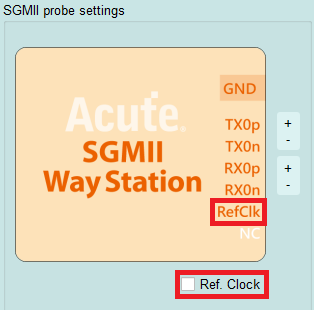
Because SGMII signals use 8b/10b encoding, they can be analyzed normally without connecting the reference clock during measurement. The reference clock can also be provided by an external signal. You can access the Ref Clk port on the SGMII Way Station below and select Ref. Clock.
- Can I specify a PCS, GMII packet as the trigger point function?
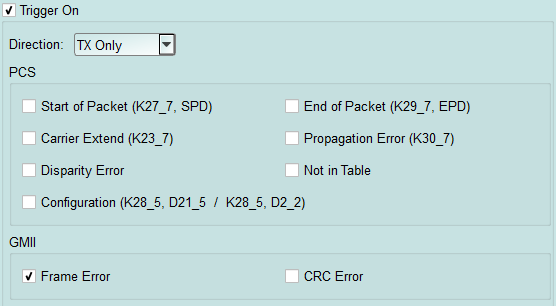
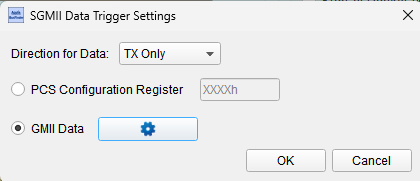
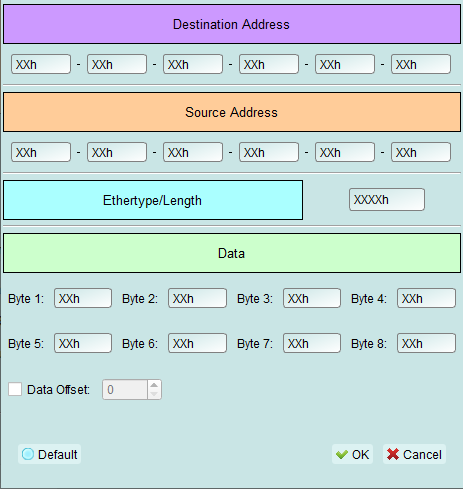
A: You can specify specific PCS, GMII packet or Error to trigger.
- Is it possible to set a PCS, GMII starting point, and specify how much time to capture Data?
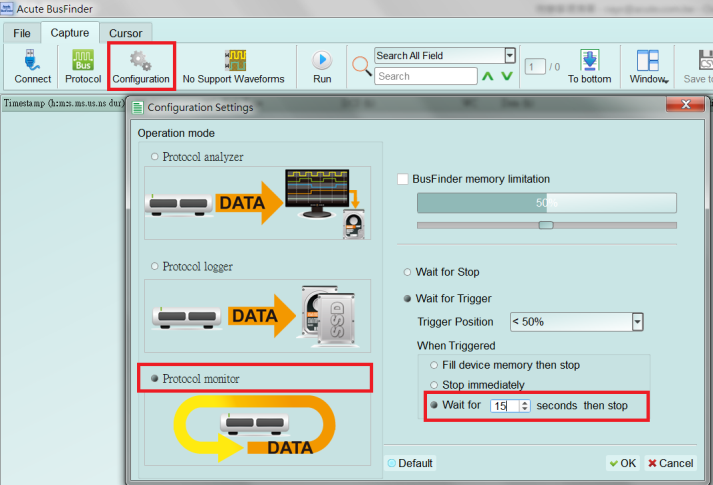
A: You can set the starting condition to the trigger item and adjust to the data monitor mode in the working mode menu. And specify the length of acquisition time.
BusFinder and Probe connection
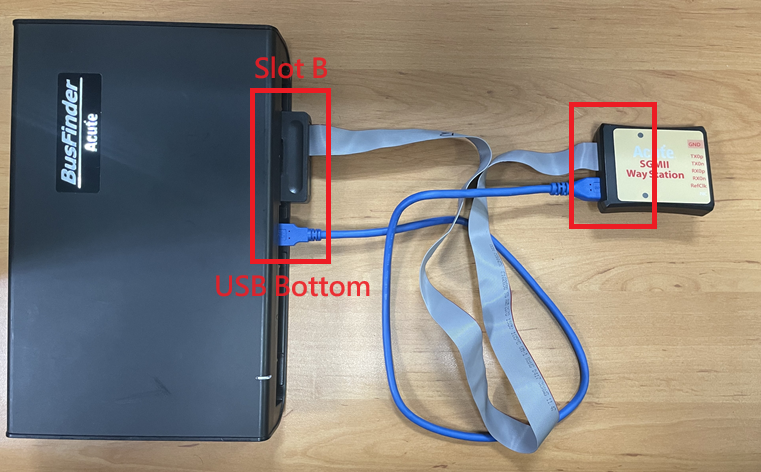
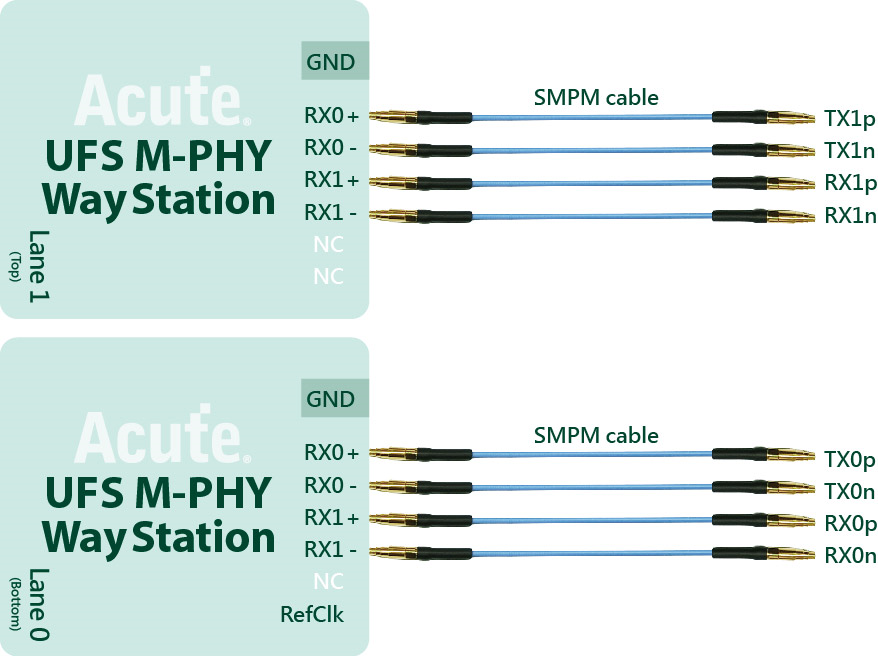
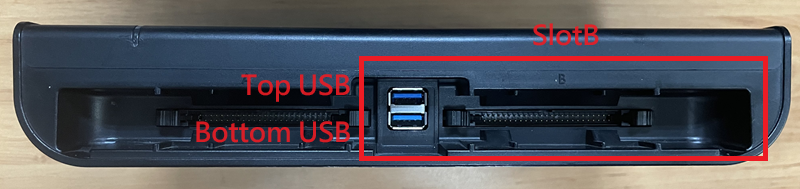
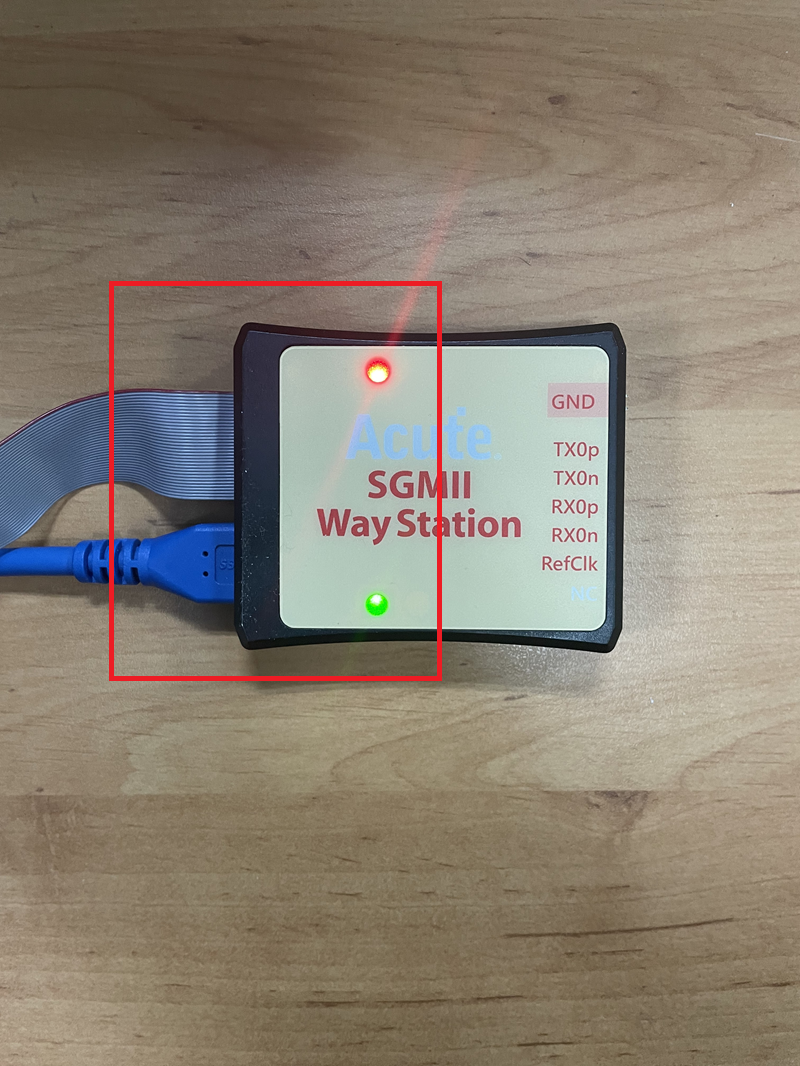
The BusFinder can only use Slot B as the probe connection slot, and note that the lower USB slot on the front of the host also needs to be connected to the Way Station. After connecting, please pay attention to whether the Way Station lights are both red and green.
Probe and test object connection
**With End-Tip connection: **
| Components | Components | Components |
|---|---|---|
| End-tip (FPC) | Combined | |
| End-tip (FPC) | ||
| End-Tip Connector(FPC) |
The resistance on the end-tip (FPC) is 250 ohm.
Pin connection
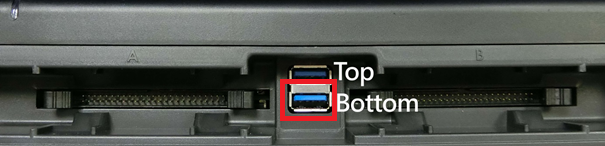
For SGMII way station USB3.0 connection, please plug in the bottom one.
End-tip Connection:
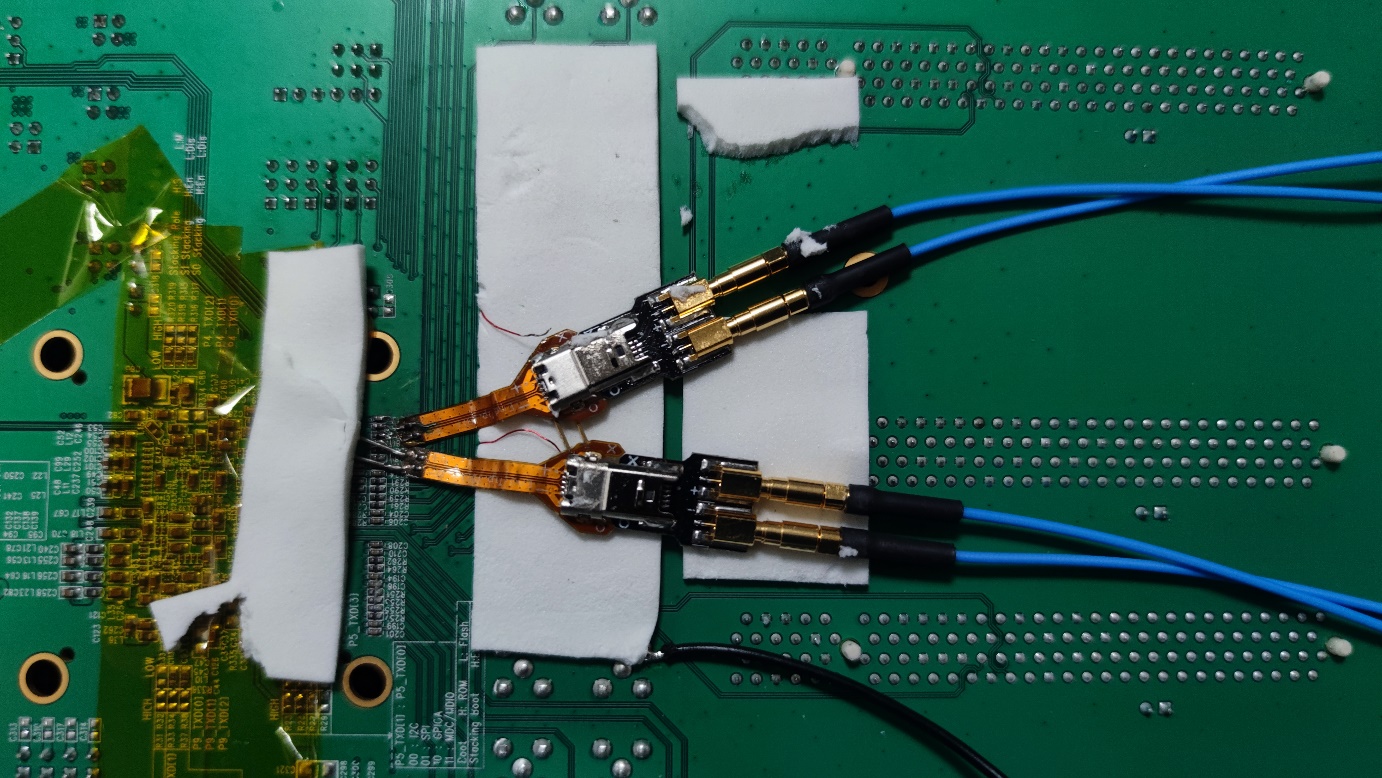
Way Station connection