Target mode
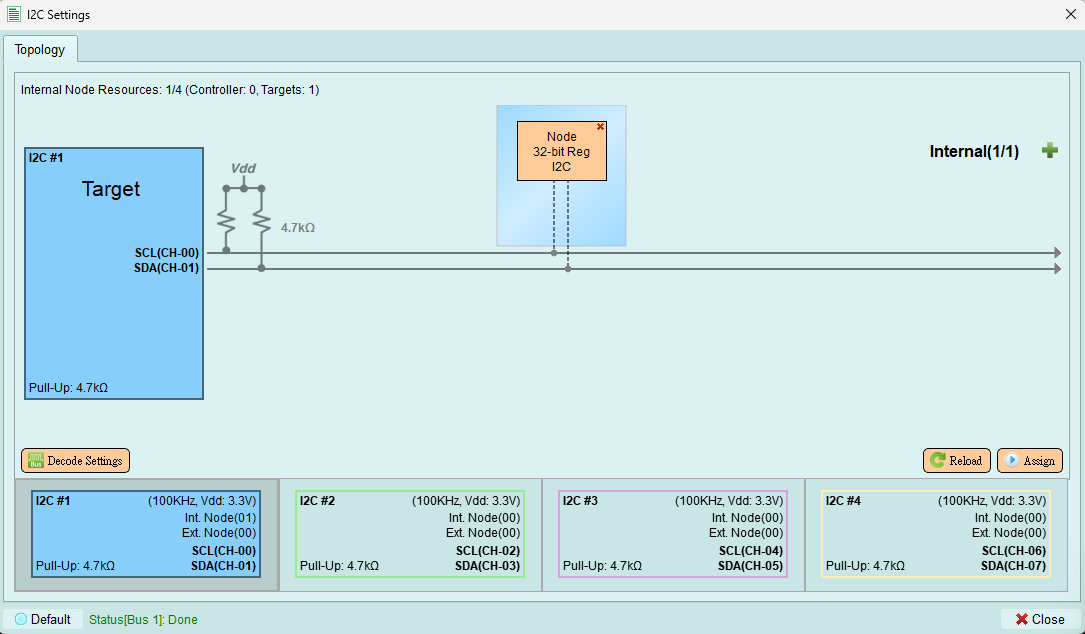
Configure the exerciser to act as an I2C target device responding to controller commands.
Overview
Target mode allows the exerciser to simulate an I2C target device. The device responds to transactions initiated by external controllers.
Available functions
Target mode includes the same functions as Controller mode, except:
- Timing Settings - Not available (controller sets timing)
- Scan External Node - Not available (only controllers scan)
For descriptions of available functions, see:
- Assign - Upload topology to device
- Reload - Refresh topology from device
- Decode Settings - Configure signal decoding
Wizard interface
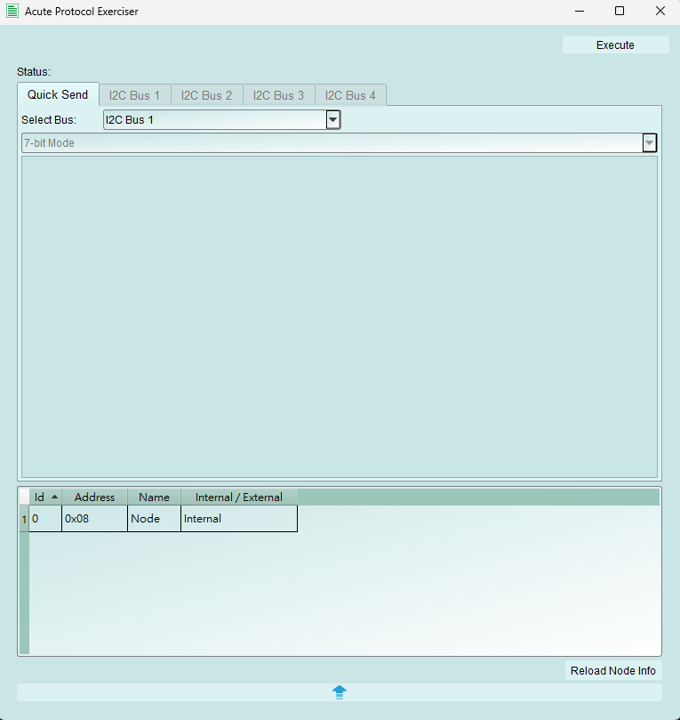
In Target mode, the I2C wizard interface is displayed but all packet sending functions are disabled.
Why: Target devices respond to controller commands; they do not initiate transactions. The wizard is disabled because:
- Targets cannot send unsolicited data
- Targets only respond when addressed by a controller
- Bus protocol requires controller to initiate all transactions
Target behavior
Responding to transactions
The target device automatically responds to:
- Address match: ACKs when its address is called
- READ requests: Sends data from internal registers
- WRITE requests: Stores data to internal registers
Internal node configuration
Even in Target mode, you can add internal nodes to simulate multiple target devices on the bus.
See: Add Internal Node
Use cases:
- Simulate multiple sensors on one bus
- Test controller multi-device handling
- Create complex test scenarios
Testing with Target mode
Setup for testing
- Configure target address and register behavior
- Add internal nodes if simulating multiple devices
- Connect external controller (or use another exerciser as controller)
- Start Logic Analyzer or Protocol Analyzer capture
- External controller sends transactions
- Verify target responses in captured data
Common test scenarios
Controller development:
- Connect your controller under test
- Exerciser acts as target device
- Verify controller sends correct commands
- Check timing and protocol compliance
System integration:
- Simulate missing devices
- Test with partial hardware
- Verify bus operation with multiple targets
Limitations in Target mode
- Cannot initiate transactions (controller-only function)
- Cannot send packets using wizard
- Cannot set bus timing (follows controller timing)
- Cannot scan for devices (controller-only function)
Tips and best practices
Register configuration
- Configure internal registers to match the device you're simulating
- Use appropriate sub-address behavior (increment, repeat, etc.)
- Pre-load register data if testing specific read sequences
Address selection
- Choose addresses that don't conflict with other devices on the bus
- Use standard address range (0x08-0x77) unless testing reserved addresses
- Document which addresses are used for each test scenario
Verification
- Always capture transactions during testing
- Verify ACK/NACK behavior is correct
- Check data integrity in read/write operations
- Confirm timing meets I2C specification