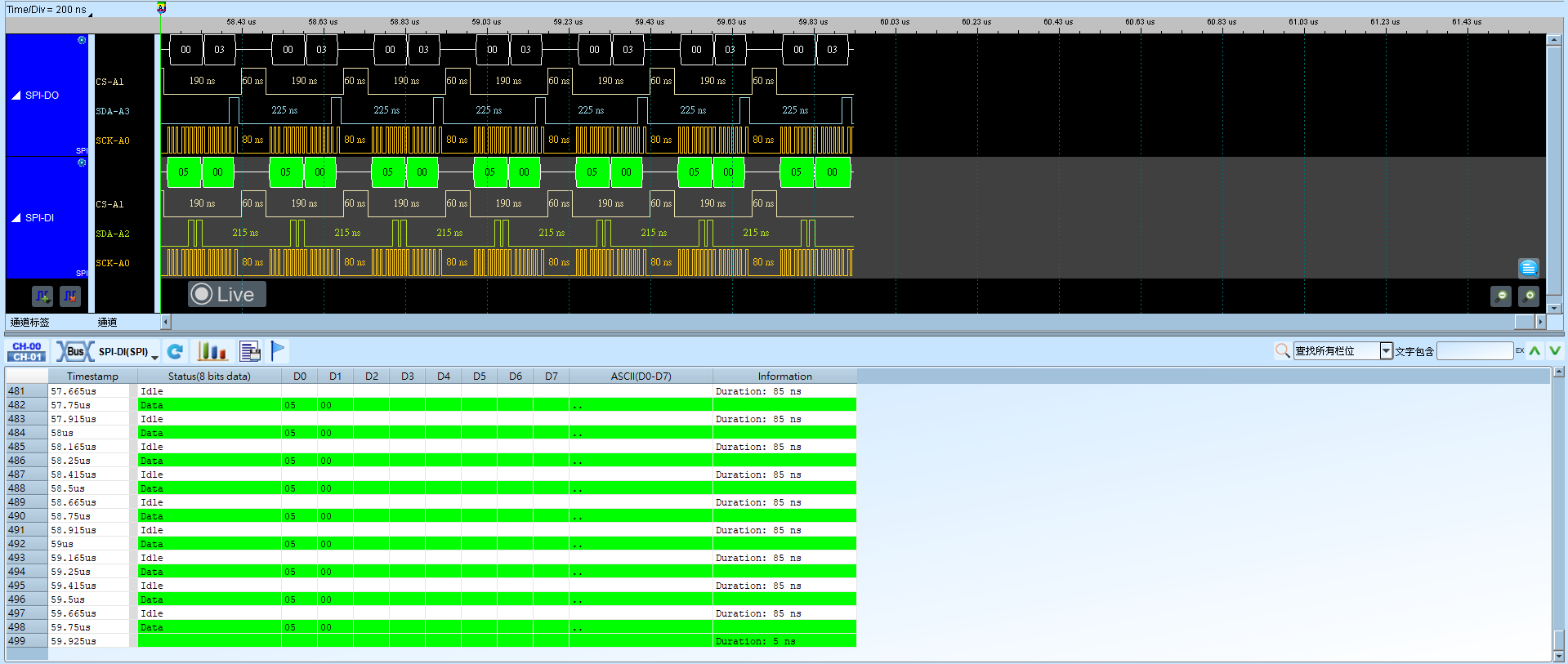
SPI (Serial Peripheral Interface)
SPI(Serial Peripheral Interface)为同步串行通信接口,常见 4 线(SCK/CS/SDI/SDO),亦可为 3 线或 2 线。主从之间以时钟(SCK)同步传输数据。
SPI Type、Bit Order 或 Word Size 与器件不符时,报告会出现错位或错字。无 CS(Unused Chip Select)时须正确设置 Clock Idle 以分隔 Frame。通道前缀差异见 Settings。
Protocol Trigger 說明:SPI Trigger
Decode Settings
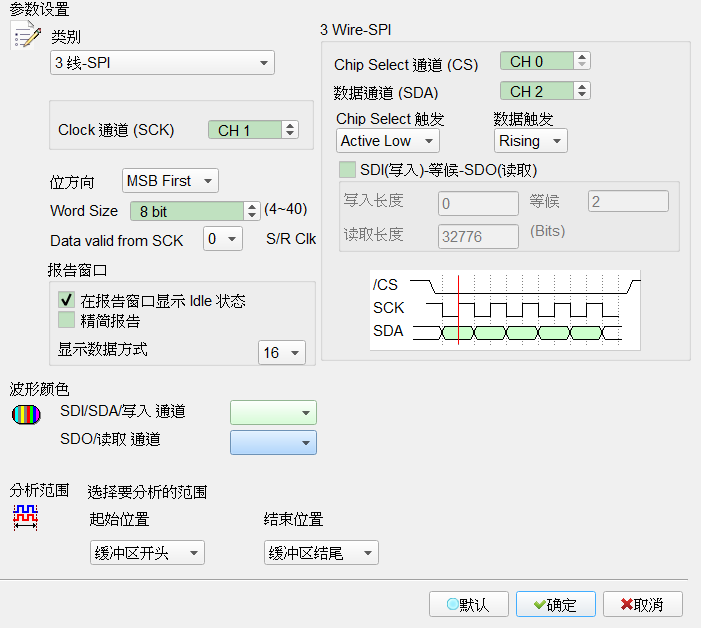
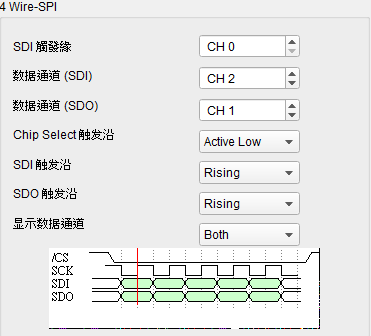
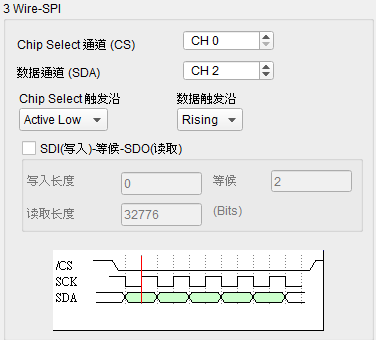
- SPI Type: 选择接线形态。Default 为 3 Wire-SPI(含 Chip Select)。
- 4 Wire-SPI: 使用 SCK、CS、SDI、SDO。CS 可设 Active High/Active Low;SDI/SDO 可设 Rising/Falling。显示数据可选 SDI only/SDO only/Both。此形态 Default:CS=Active High,SDI=Rising,SDO=Falling,显示=Both。
- 3 Wire-SPI: 使用 SCK、CS、单一 Data。可勾选 SDI(Write)-Waiting-SDO(Read) 启用单线双向(写入/等候/读取位数)。此形态 Default:CS=Active Low,Data=Rising;双向未勾选(写入/读取/等候位数常为 8/8/2)。
- 3 Wire-SPI (Unused Chip Select): 使用 SCK、SDI、SDO,无 CS。须设置 Clock Idle 作为 Frame 分隔。显示数据可选 SDI only/SDO only/Both。此形态 Default:SDI/SDO=Rising,显示=Both,Idle=300 ns。
- 2 Wire-SPI (Unused Chip Select): 使用 SCK、SDA,无 CS。须设置 Clock Idle。此形态 Default:Data=Rising,Idle=300 ns;双向未勾选。
- Clock Channel (SCK): 指定时钟通道。
- Use External clock: 使用外部时钟。勾选时栏位启用(Enable)。Default 为未勾选。
- Bit Order: LSB First/MSB First。Default 为 MSB First。
- Word Size: 每个 Data word 的位数(4–40)。Default 为 8。
- Data valid from SCK: 相对 SCK edge 延迟采样(0–3 个采样点)。Default 为 0(不延迟)。
- Report:
- Show Idle state in report window: 报告显示 Idle。勾选时栏位启用(Enable)。Default 为勾选。
- Reduce report: 精简报告内容。勾选时栏位启用(Enable)。Default 为未勾选。
- Show data in report (Column): 报告 Data 列数(1–16)。Default 为 16。
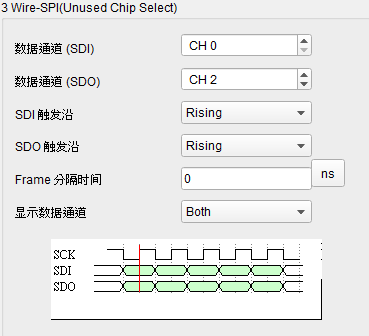
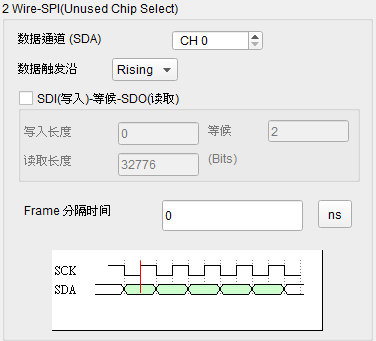
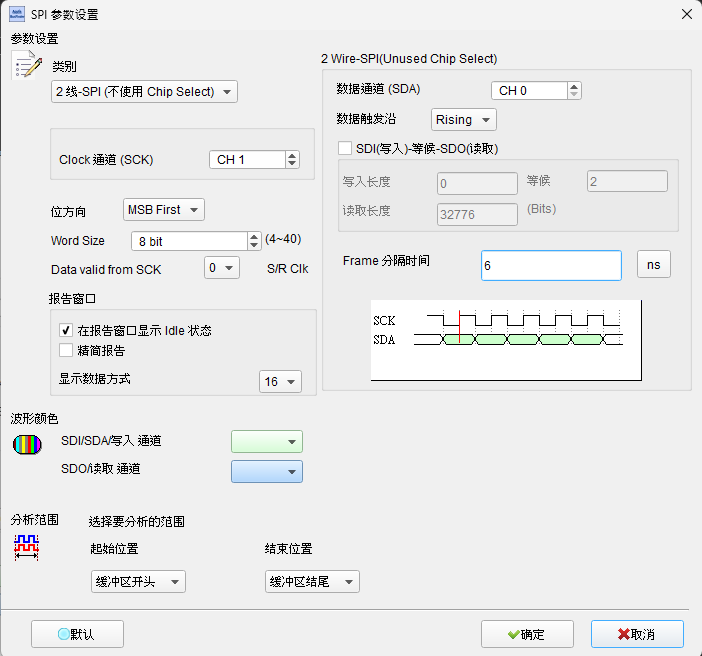
无 CS 且 Idle ≠ 0 时,Clock 暂停超过 Idle 时间即视为 Frame 分隔:
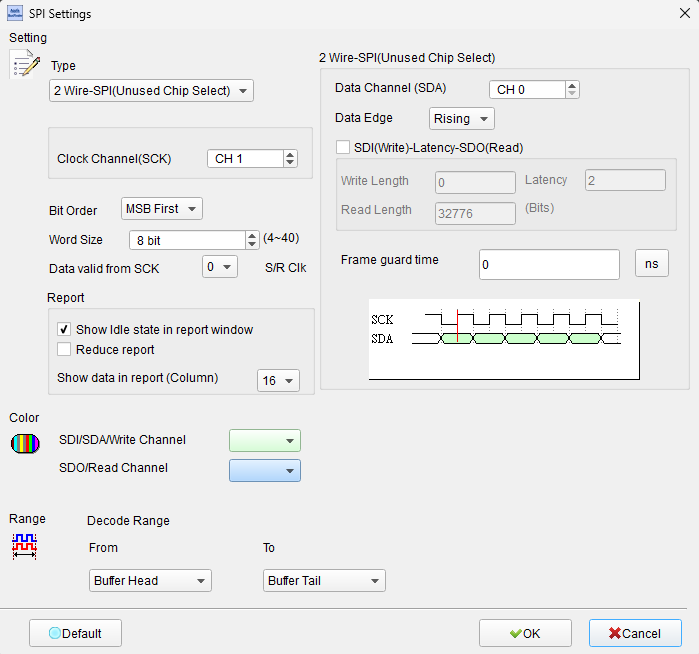
Idle 设为 0 时可作为连续数据分析:
Result