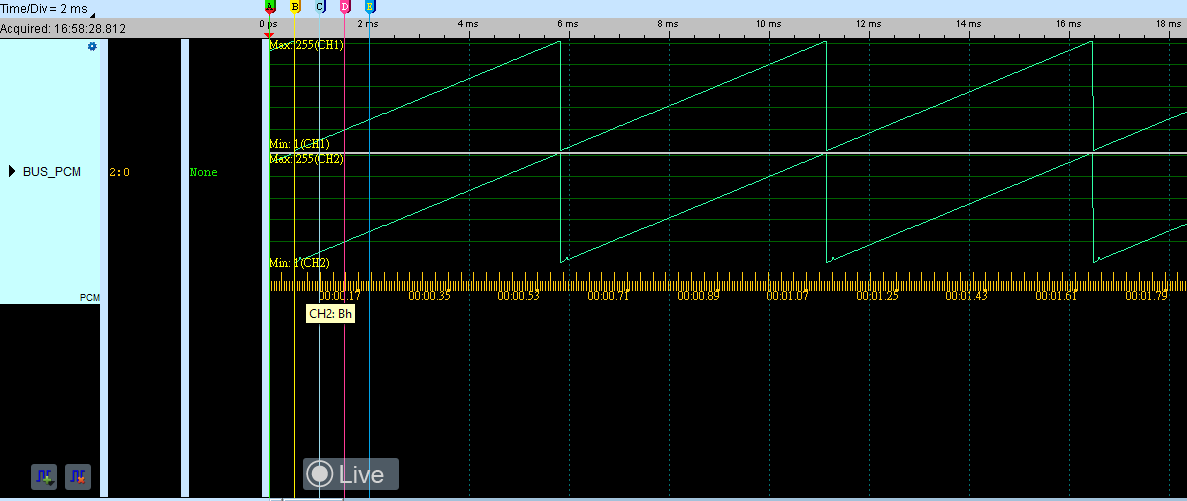
PCM
The format that describes sound as a series of numbers is often called a raw audio file; the term is PCM (Pulse-code modulation). Examples include WAV on Windows and AIFF on Apple platforms, typically with a header at the beginning.
Wrong Data bits, mode, Latch Edge, or Enable Pulse settings cause decode failure. For channel-prefix differences, see Settings.
Decode Settings
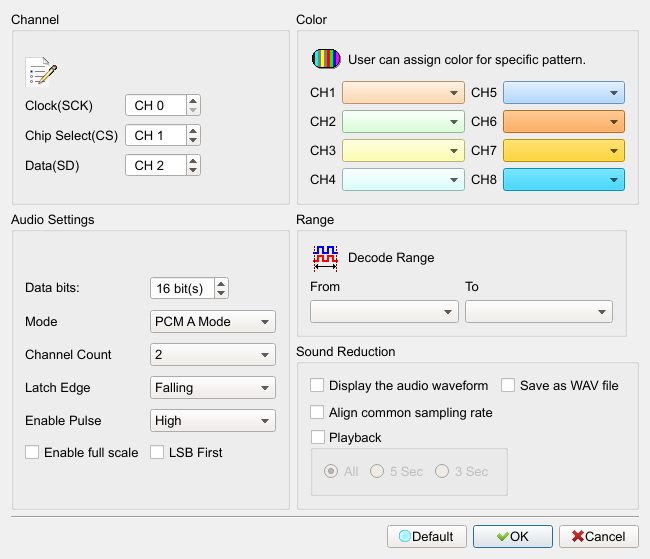
- Channel: Set PCM channels (SCK/CS/SD).
- Audio Settings:
- Data bits: PCM data bit width (8/16/24/32). Default is 16.
- Mode: PCM A Mode/PCM B Mode/PCM Multi Mode. Default is PCM A Mode.
- Channel Count: Number of channels (1–8 or Unlimit). Default is 2.
- Latch Edge: Latch on Falling/Rising clock edge. Default is Falling.
- Enable Pulse: CS active level High/Low. Default is High.
- Enable full scale: Full-scale function. Field enabled (Enable) when checked. Default is unchecked.
- LSB First: Arrange data LSB first. Field enabled (Enable) when checked. Default is unchecked.
- Sound Reduction: Display, play, or save the audio waveform. Field enabled (Enable) when checked. Default: display/playback/save are all unchecked; playback length is commonly All.
Result
Packet
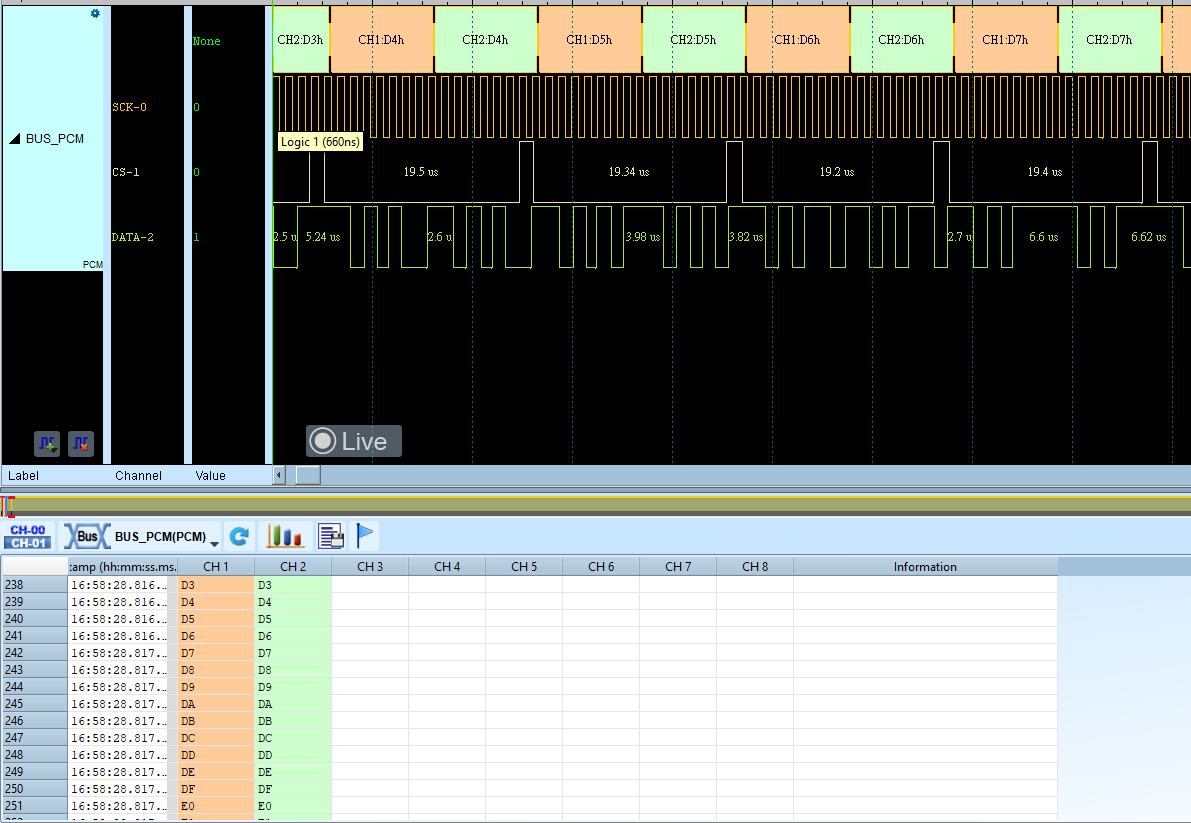
Audio