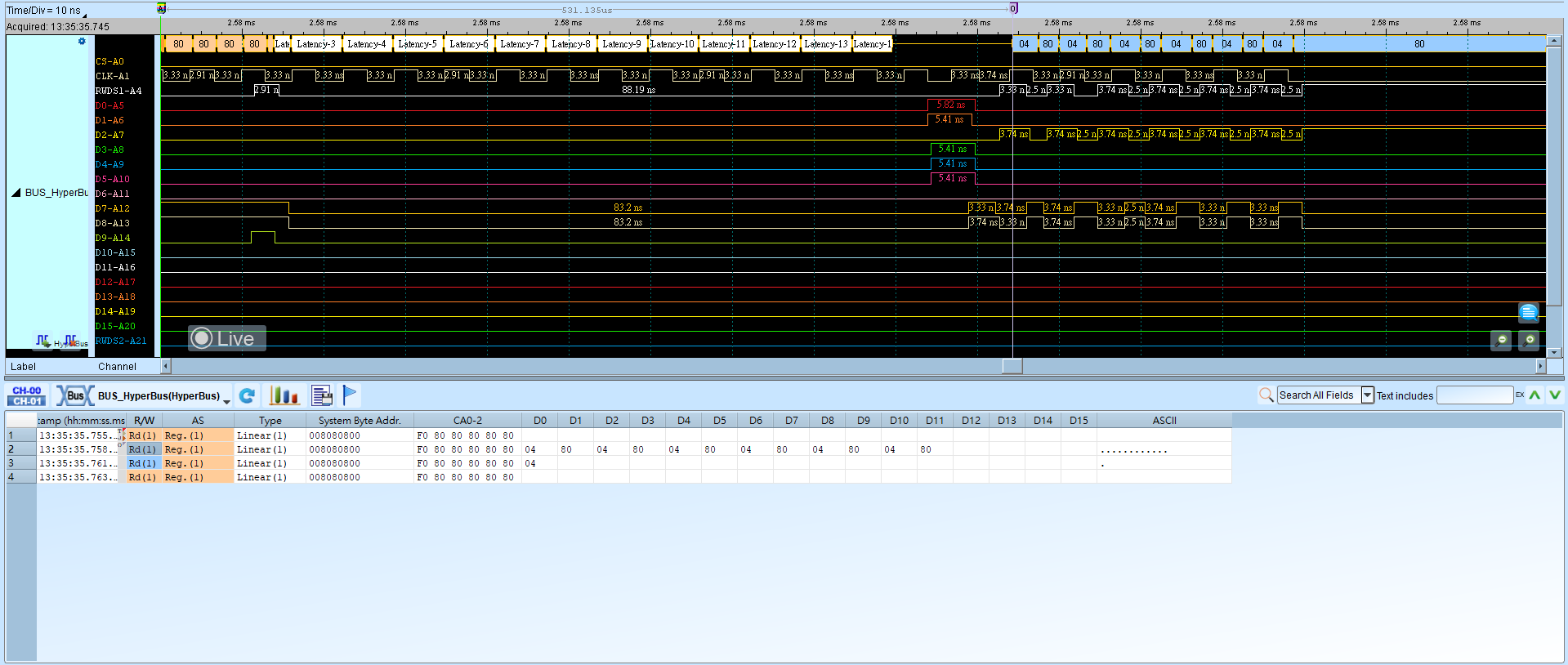
HyperBus
HyperBus is a high-performance memory interface technology designed to increase data transfer rates, especially in embedded systems such as smartphones, tablets, and IoT devices. Proposed by Micron Technology and adopted by several device manufacturers, HyperBus can support many memory types—most commonly Flash and DRAM—while providing faster read/write speeds than traditional SPI and parallel memory interfaces.
Wrong Mode / Bus Width or HyperRAM options cause decode failures. For channel-prefix differences, see Settings.
Decode Settings
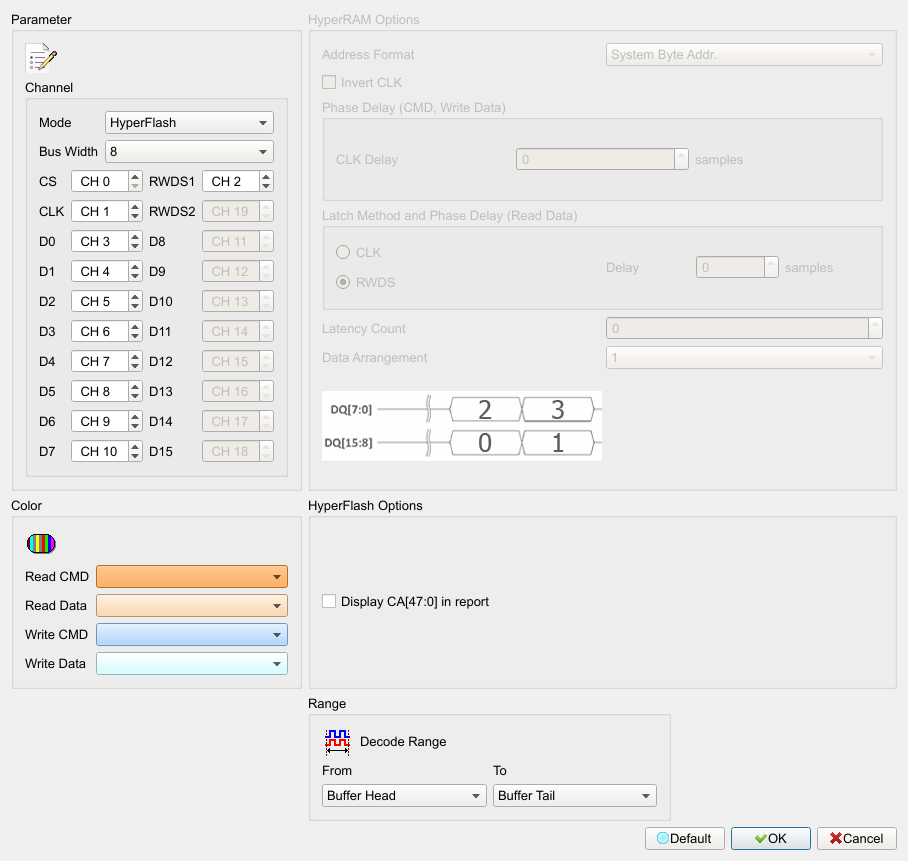
- Mode: Switch between HyperFlash and HyperRAM. Default: HyperFlash. HyperFlash enables (Enable) HyperFlash options and disables (Disable) HyperRAM options; HyperRAM does the opposite.
- Bus Width: Set bus width (8 / 16). Default: 8. Width 8 disables (Disable) D8–D15 / RWDS2 channel spins; width 16 enables (Enable) them.
- Channel: Assign Logic Analyzer channels for each signal on the device under test.
- Display CA[47:0] in report: Show CA[47:0] (48 bits) in the report. Available only in HyperFlash mode. Field enabled (Enable) when checked. Default: cleared.
- HyperRAM Options: Valid only in HyperRAM mode.
- Invert CLK: Invert CLK. Field enabled (Enable) when checked. Default: cleared.
- Phase Delay (CMD, Write Data): Delay sample-point count. Default: 0.
- Latch Method and Phase Delay (Read Data): CLK or RWDS delay sample points. Default Latch Method: RWDS (also set for HyperFlash); Delay: 0.
- Latency Count: Delay CLK count. Default: 0.
- Data Arrangement: One of two arrangement modes. Default: the second mode.
- Address Format: Address display format. Default: System Byte Addr.
Result