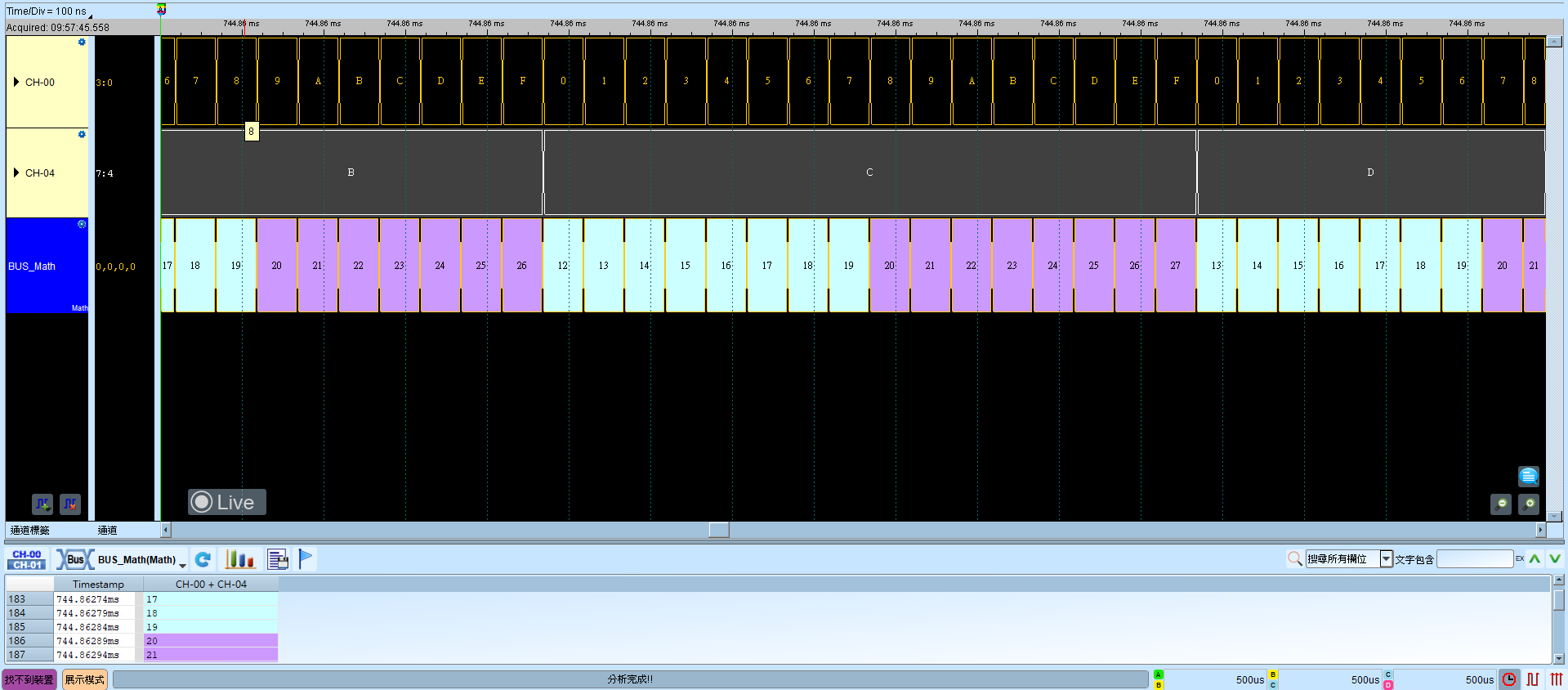
Math
Math performs arithmetic and logic operations on captured signals—single channels or multi-channel buses: +, −, ×, ÷, AND, XOR, OR, NAND, NOR, XNOR, and Bit Shift.
On OK, settings are written to AqMath.bin in the working directory (overwritten each OK). Save a copy with the waveform file, and place it in the working directory before reopening. For channel-prefix differences, see Settings.
Decode Settings
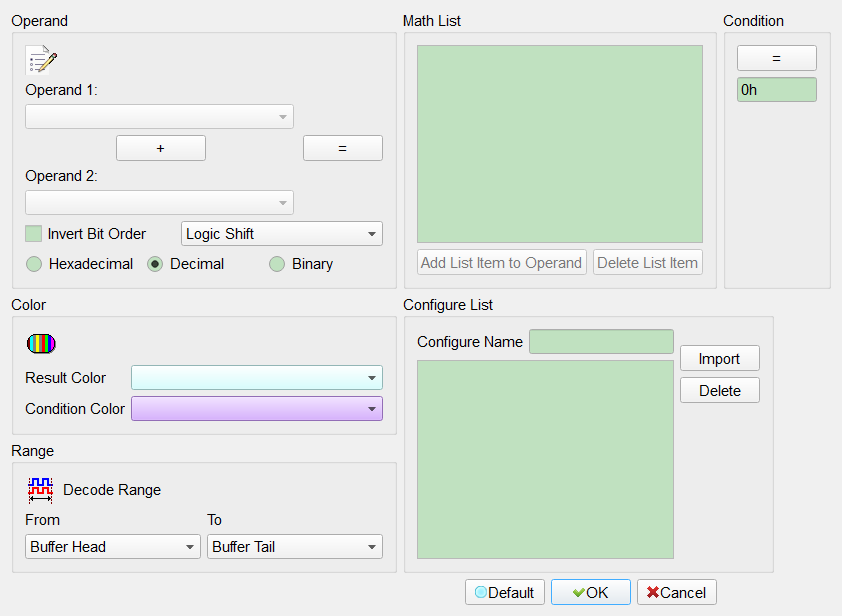
- Channel settings:
- Operand: Channel or bus to compute; labels from the current waveform window are listed automatically.
- Operator:
- Arithmetic: +, −, ×, ÷.
- Logic: AND, XOR, OR, NAND, NOR, XNOR, >>, <<.
- “=” button: Add the equation to the Math List.
- Invert Bit Order: New buses default to smaller channel number as lsb; check to reverse. Field enabled (Enable) when checked. Default: cleared.
- Bit Shift Method: Arithmetic Shift / Logic Shift / Rotate Circular Shift / Rotate through Carry Shift; used with >> and <<. Default: Logic Shift.
- Numeric Display: Hexadecimal / Decimal / Binary. Default: Decimal.
- Math List: User equations; up to 8.
- Add List Item to Operand: Add the selected equation as an operand (up to 2 parenthesis levels).
- Delete List Item: Remove the selected equation from the list.
- Waveform colors: Color for the result frame and for frames matching the comparison condition.
- Case settings:
- Comparison condition: >=, >, =, <=, <.
- Comparison value: Hex or decimal. Default: 0h (hex input mode).
- Configure: Named configures holding different equation lists for quick switching.
Operating methods
- Select operands and operator, then “=” to add to the Math List
- Select the equation to operate on
- Set the result frame color
- Set comparison condition, value, and match frame color
- Press OK
Result