Clause Trigger
The Clause trigger settings dialog box is as below.
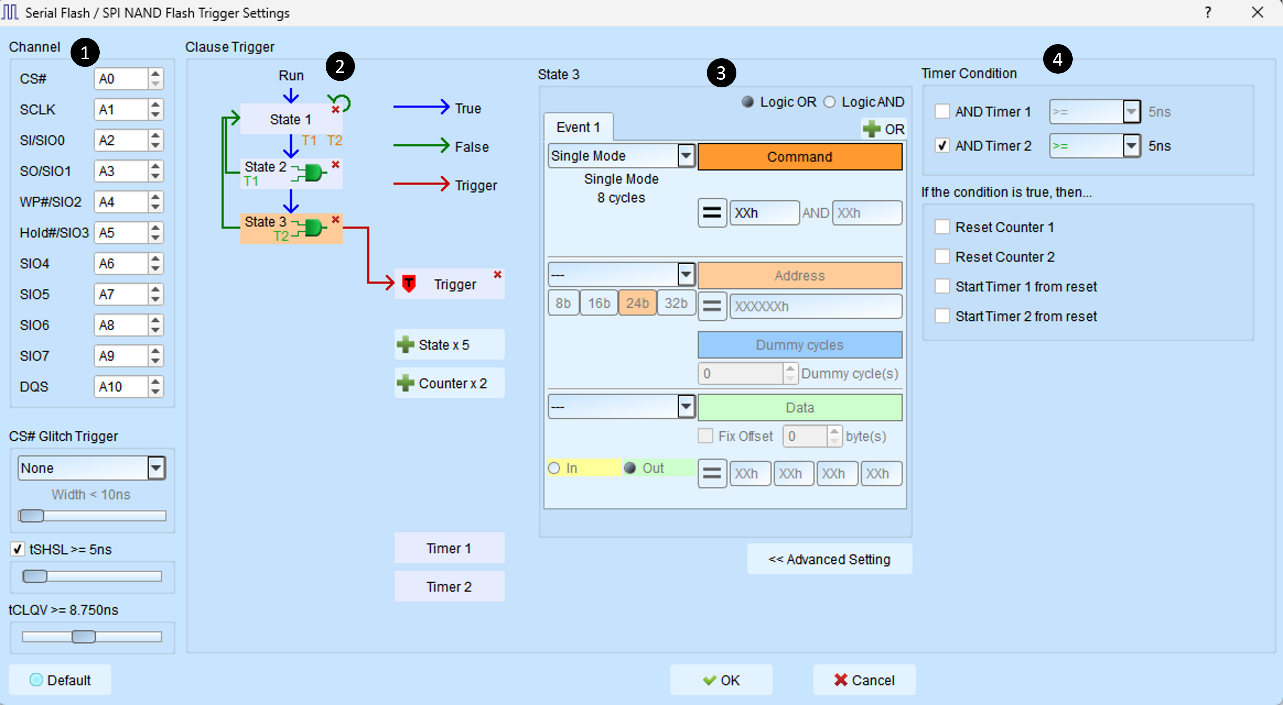
Channel and protocol trigger settings:
Please refer to the descriptions in each protocol trigger settings section.
Flow chart
A state button represents a trigger state. A true state condition can only branch to the next state; a false state condition can branch to any state, as shown below:
Click state 1 then state 2: state 1 branches to state 2 when state 1 is false.
Double-click any state to make it branch to itself when false.
Click the state button and the trigger button (): triggers when the state condition is met.
Delete any state by clicking the cross sign on the state.
Clear the links to the trigger button by clicking the trigger button ().
- Click and to add a new state.
-
The timer ranges from 5 ns to 8 days.
State settings
This area displays the detailed trigger conditions for each level in the triggering process on the left:
The State 1 text in the upper left indicates the currently displayed state number.
You can set the logic rules between events.
You can switch or view the number of OR/AND condition combinations in this hierarchy.
Choose/ tab to add up to 8 OR/AND triggers.
The center parameter setting area varies according to the selected trigger type. Input values support base 2, 10, and 16: binary (followed by b, such as 01000001b), decimal (no suffix, such as 65), and hexadecimal (followed by h, such as 41h).
The relationship between events and triggering signals within each level can be seen in the following table:
Timer and Counter settings
Press button to edit the timer/counter reset settings of the state.
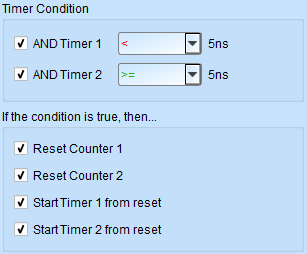
The following table describes the state button icons: