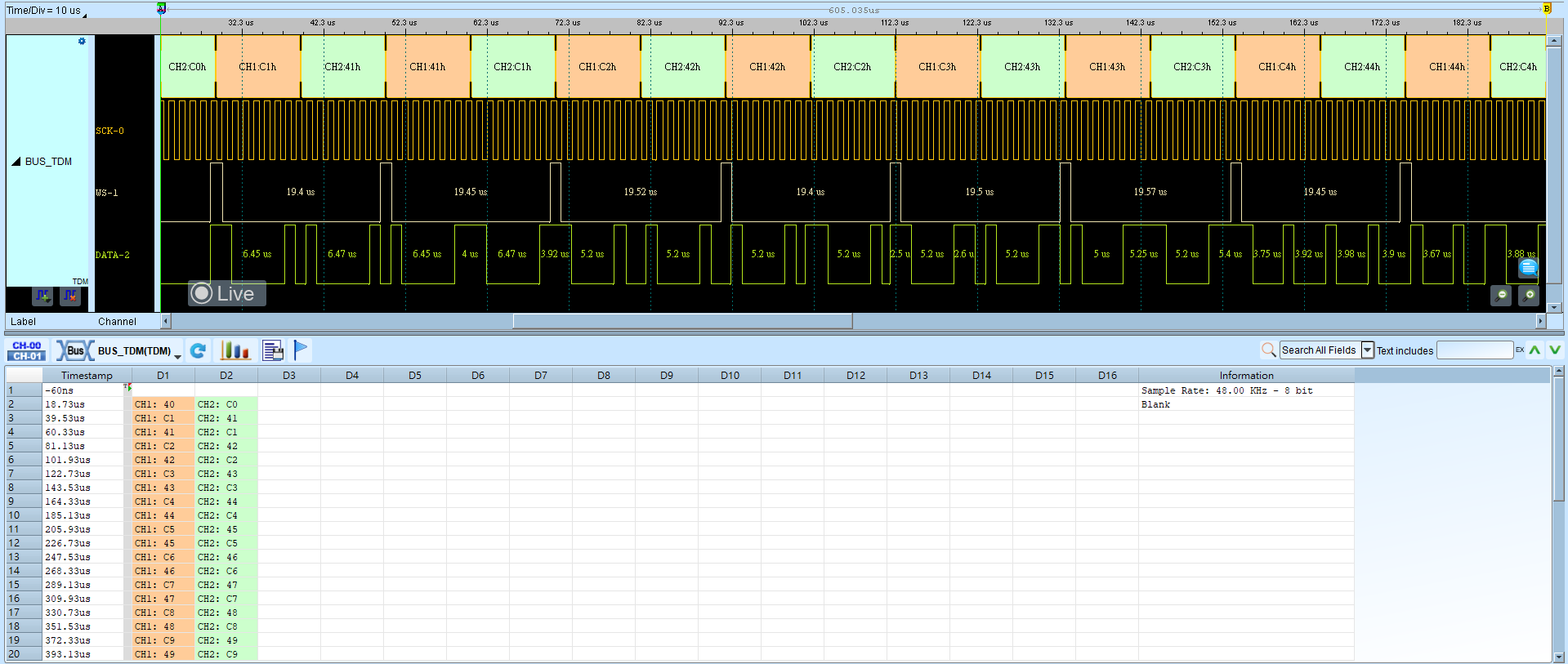
TDM (Time-Division Multiplexing)
TDM Audio (Time Division Multiplexing Audio) transmits multiple audio channels over a single data line (or a pair) by dividing the stream into time slots. It is common in professional audio, consumer electronics, and automotive digital-audio systems.
Wrong Slot bits/Audio bits/channel count or Mode fails decode. For channel-prefix differences, see Settings.
Decode Settings
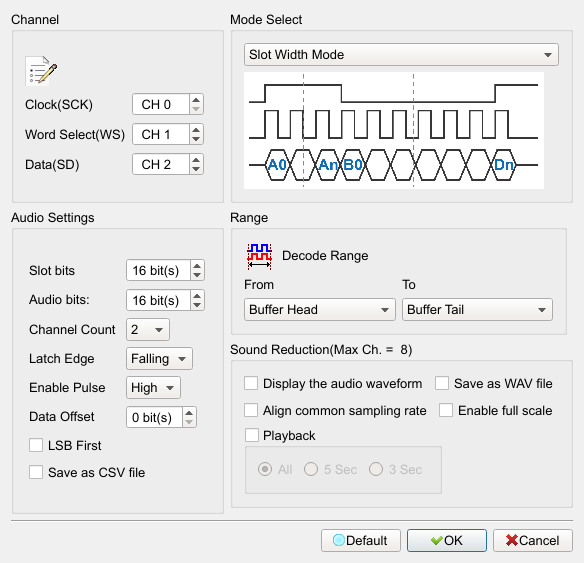
- Channel:
- Clock (SCK): Clock channel.
- Data (SD): Data channel.
- Word Select (WS): Word Select channel.
- Audio Settings:
- Slot bits: Data width of an audio channel. Default: 16.
- Audio bits: Valid bits in the slot. Default: 16.
- Channel Count: Number of audio channels. Default: 2.
- Latch Edge: Latch data on Falling or Rising edge. Default: Falling.
- Enable Pulse: Active pulse polarity (Low/High). Default: High.
- Data Offset: Bit offset before data starts. Default: 0.
- LSB First: Check when data is LSB first. Field enabled (Enable) when checked. Default: cleared.
- Save as CSV file: Save decode results as CSV. Field enabled (Enable) when checked. Default: cleared.
- Mode Select: Data arrangement (Slot Width Mode, Bit Width Mode, I2S Mode, and related options). Default: Slot Width Mode.
- Sound Reduction: After decode, save, play back, or plot audio (max 8 channels). Field enabled (Enable) when a sub-option is checked. Defaults: cleared.
- Display the audio waveform: Plot the audio waveform.
- Enable full scale: Enable full-scale display.
- Save as WAV file: Save as .WAV.
- Align common sampling rate: Align to a common sampling rate.
- Playback: Play All/5 Sec/3 Sec. Default: All (disabled while the group is cleared).
Result