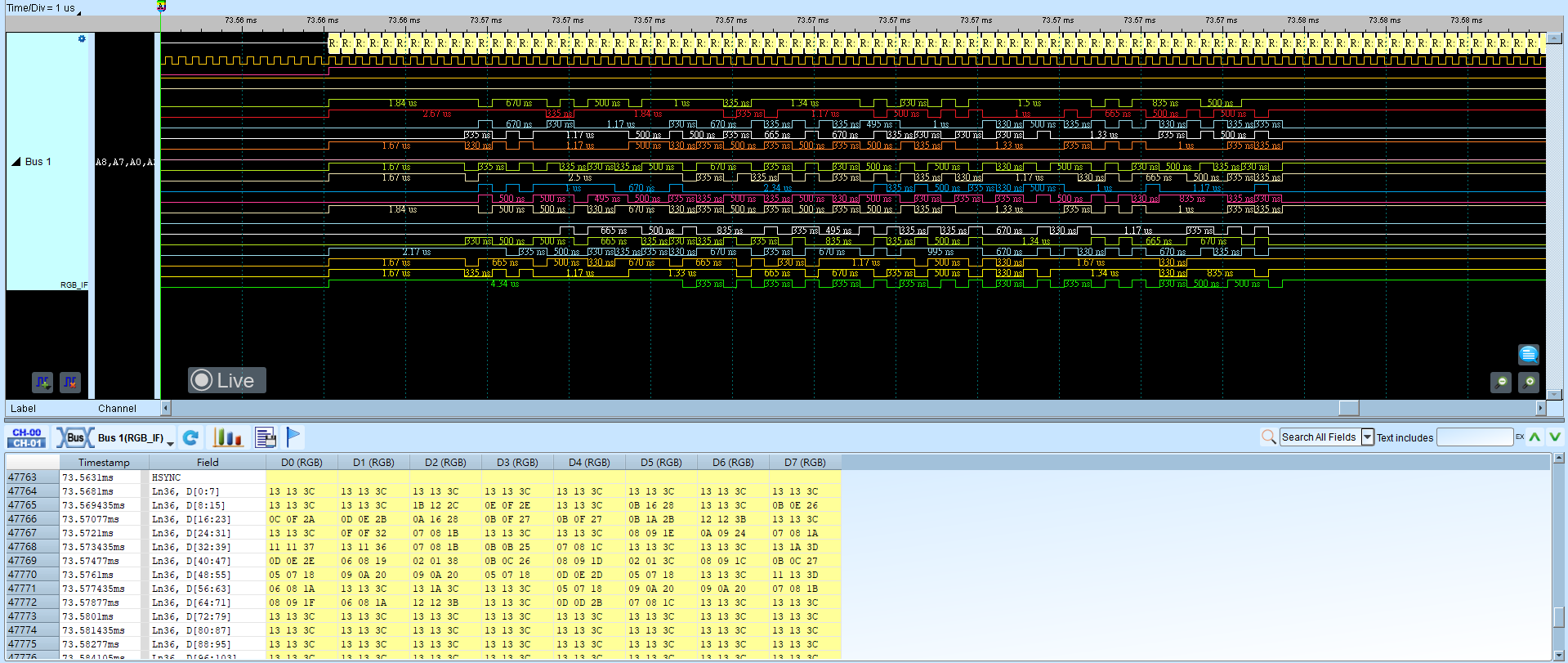
RGB Interface
RGB Interface transfers data between an MCU and an LCD. The LCD panel is driven by the LCD controller; RGB data is written by the MCU into memory and then passed to the LCD controller. You can read RGB data from this interface to view the image shown on the LCD.
Wrong Format or sync/data channel mapping yields an incorrect image. For channel-prefix differences, see Settings.
Decode Settings
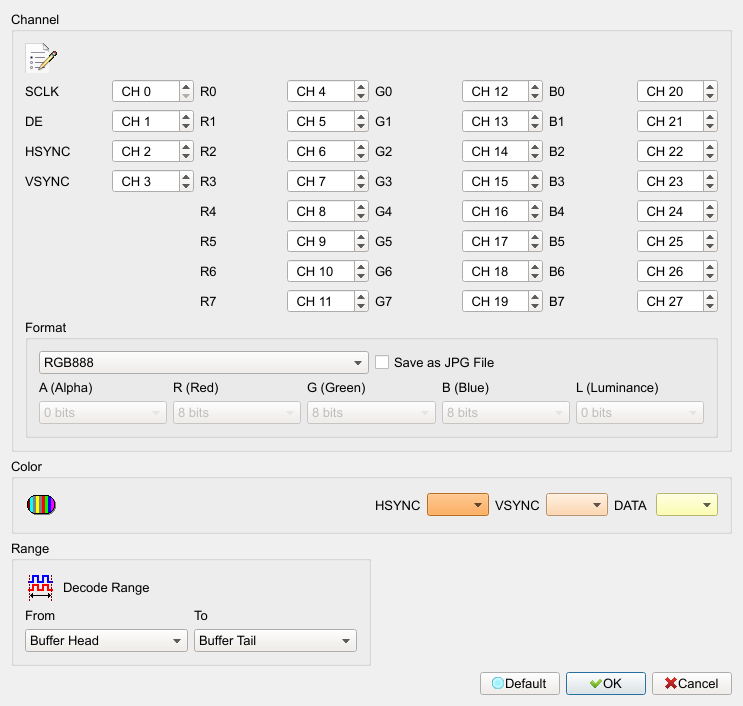
- Channel:
- SCLK: Clock signal.
- DE (Data Enable): Start reading data.
- Hsync (Horizontal synchronization): Horizontal sync.
- Vsync (Vertical synchronization): Vertical sync.
- R0–7, G0–7, B0–7: RGB data pins.
- Format: RGB pixel format or User defined. Default: RGB888.
- Save as JPG file: After decode, save RGB data as a JPG in the working directory. Field enabled (Enable) when checked (disabled for some luminance/alpha-only formats). Default: cleared.
Result