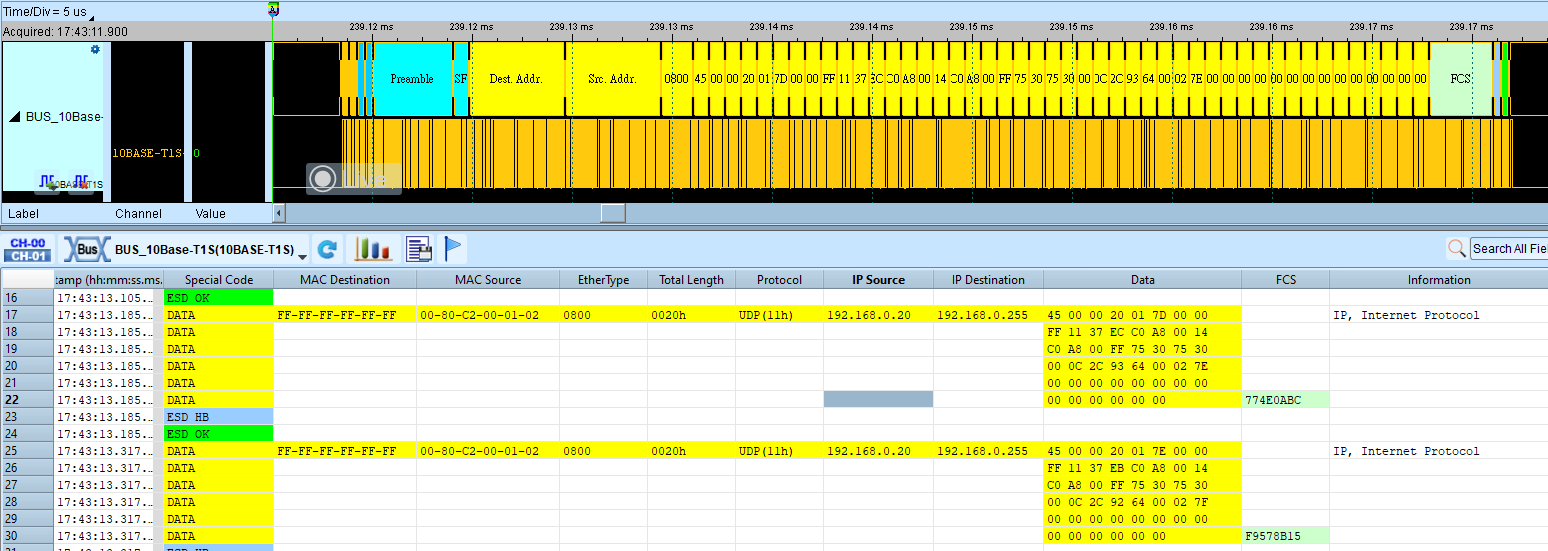
10BASE-T1S
10BASE-T1S names this Ethernet technology for 10 Mbit/s baseband signaling on a single pair. Unlike conventional Ethernet with four pairs, T1S targets single-pair environments.
Mismatching Sync/Beacon/MAC display options can omit or overfill report fields. For channel-prefix differences, see Settings.
Decode Settings
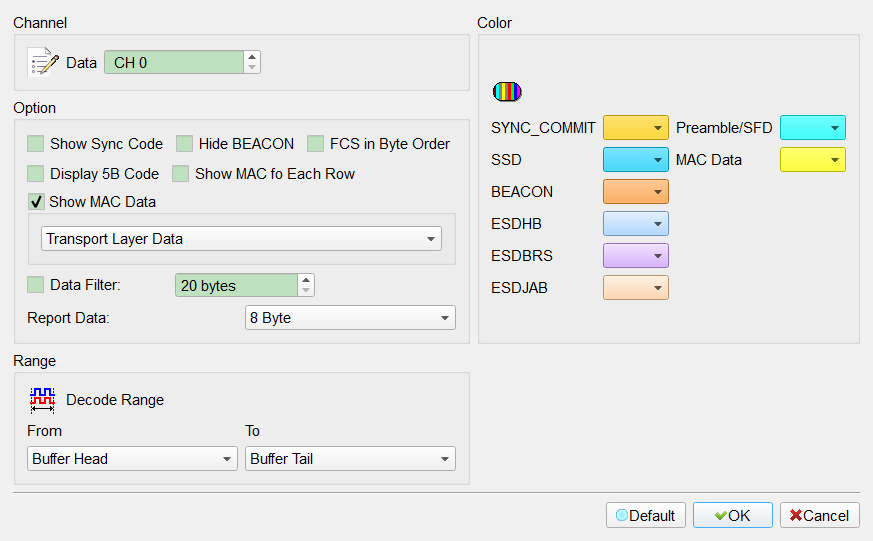
- Show Sync Code: Show Commit and SSD. Field enabled (Enable) when checked. Default: cleared.
- Hide BEACON: Hide Beacon data. Field enabled (Enable) when checked. Default: cleared.
- FCS in Byte order: Present FCS in the report in byte order. Field enabled (Enable) when checked. Default: cleared.
- Display 5B Code: Show special-code values. Field enabled (Enable) when checked. Default: cleared.
- Show MAC Data for each row: Show MAC Address, Data, FCS, and related fields. Field enabled (Enable) when checked. Default: cleared. (The Show MAC Data group can be opened separately; Default for the group is checked.)
- Transport Layer Data: For IPv4 (0800h), the Data column shows transport-layer data only. Default show type index: 0.
- Transport Layer Data & Header: Data column includes the header (about 20 bytes for IPv4).
- Data filter: Show only a specified number of data bytes (minimum 20). Field enabled (Enable) when checked. Default: cleared; filter value Default: 20.
- Report format: Limit how many bytes appear in the Data column before wrapping. Default index: 0 (typically 8 bytes).
- Export PCAP: Export PCAP. Field enabled (Enable) when checked. Default: cleared.
Result