SDR SDRAM
SDRAM (Synchronous Dynamic Random Access Memory) is a synchronous dynamic random access memory. Its characteristic is that it can synchronize the memory clock with the Host. Because it can only transmit data on the Rising edge, SDRAM can also be called SDR SDRAM (Single Data Rate SDRAM).
SDRAM differs from the DDR SDRAM structure used in current computers. DDR (Double Data Rate) actually refers to DDR SDRAM (Double Data Rate SDRAM), meaning Rising/Falling edges can both transmit data.
Due to the large number of channels required and the high signal speed, this decode is only available on LA3000+, LA4000+, or BusFinder models. In addition, this decode only supports SDR SDRAM analysis, not DDR SDRAM.
For channel-prefix differences, see Settings.
Decode Settings
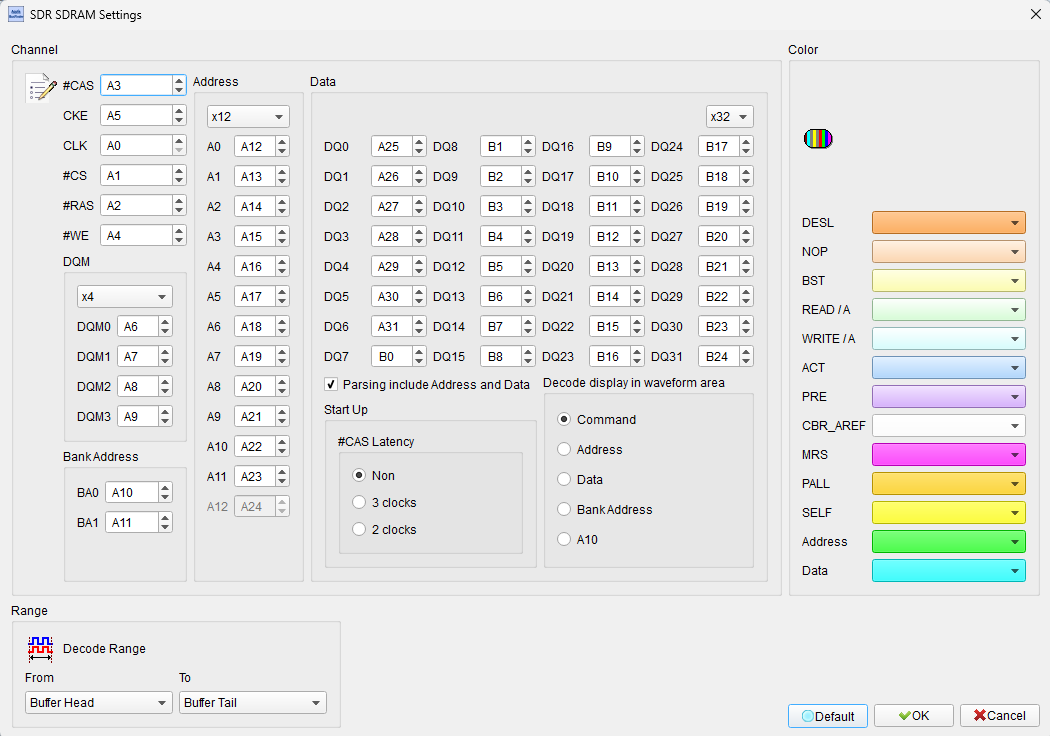
- Channel: Assign the Logic Analyzer channels for SDRAM signals (#CAS, CKE, #CS, #RAS, #WE, A10, and Address/Data/DQM as needed).
- Parsing include Address and Data: Field enabled (Enable) when checked for full analysis with all SDRAM pins. When unchecked, only a simple Command analysis is performed (connect #CAS, CKE, #CS, #RAS, #WE, and A10 — 6 channels), reducing wiring but without Address/Data status; suitable for basic analysis. Default is checked.
- DQM / Address / Data width: Select DQM (x1/x2/x4), Address (x12/x13), and Data (x32/x16/x8/x4). Default is DQM x4, Address x12, Data x32.
- Startup — #CAS Latency: Set the SDRAM read latency (Non / 2 clocks / 3 clocks). Default is Non.
- Decode display in waveform area: SDRAM has many states that cannot all be shown at once; select Command / Address / Data / Bank Address / A10. To view multiple items at once, add multiple SDRAM decode groups with different display modes. Default is Command.
Result
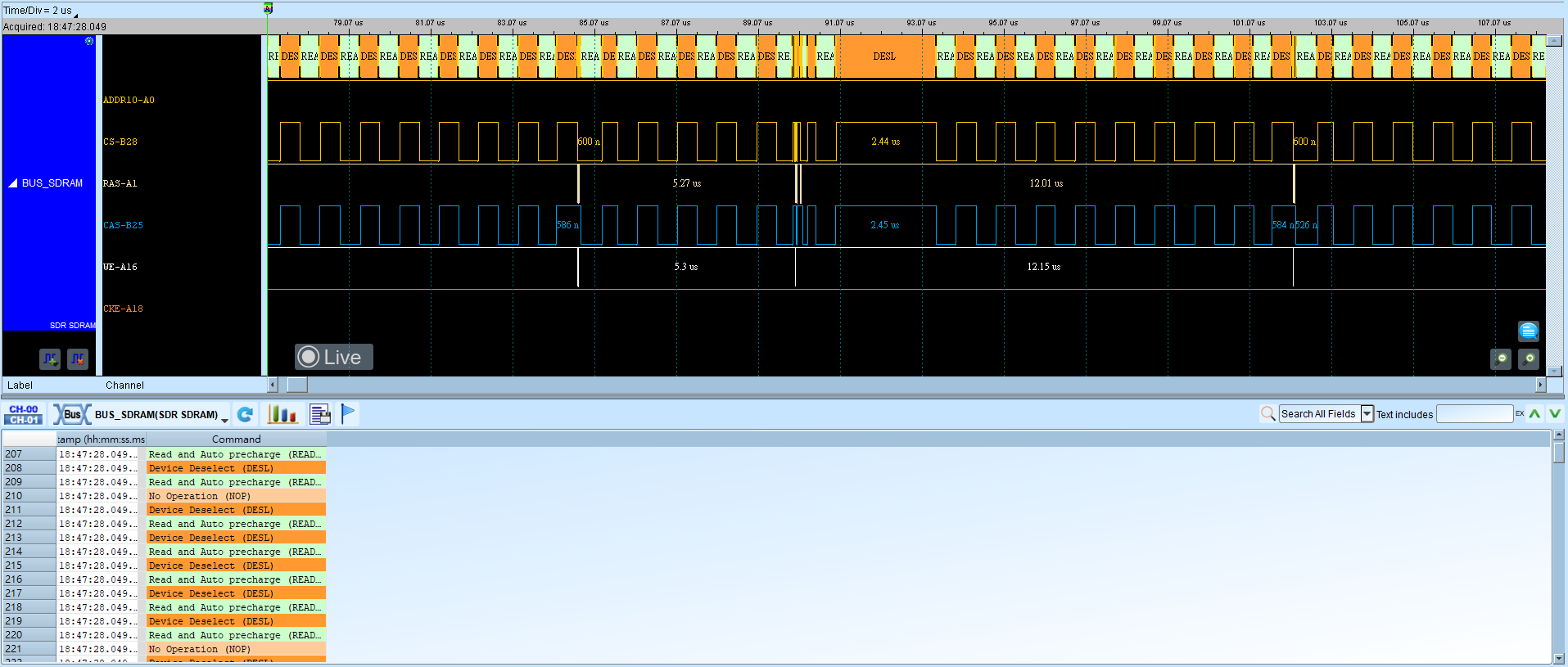
Uncheck Parsing include Address and Data (Figure 1):
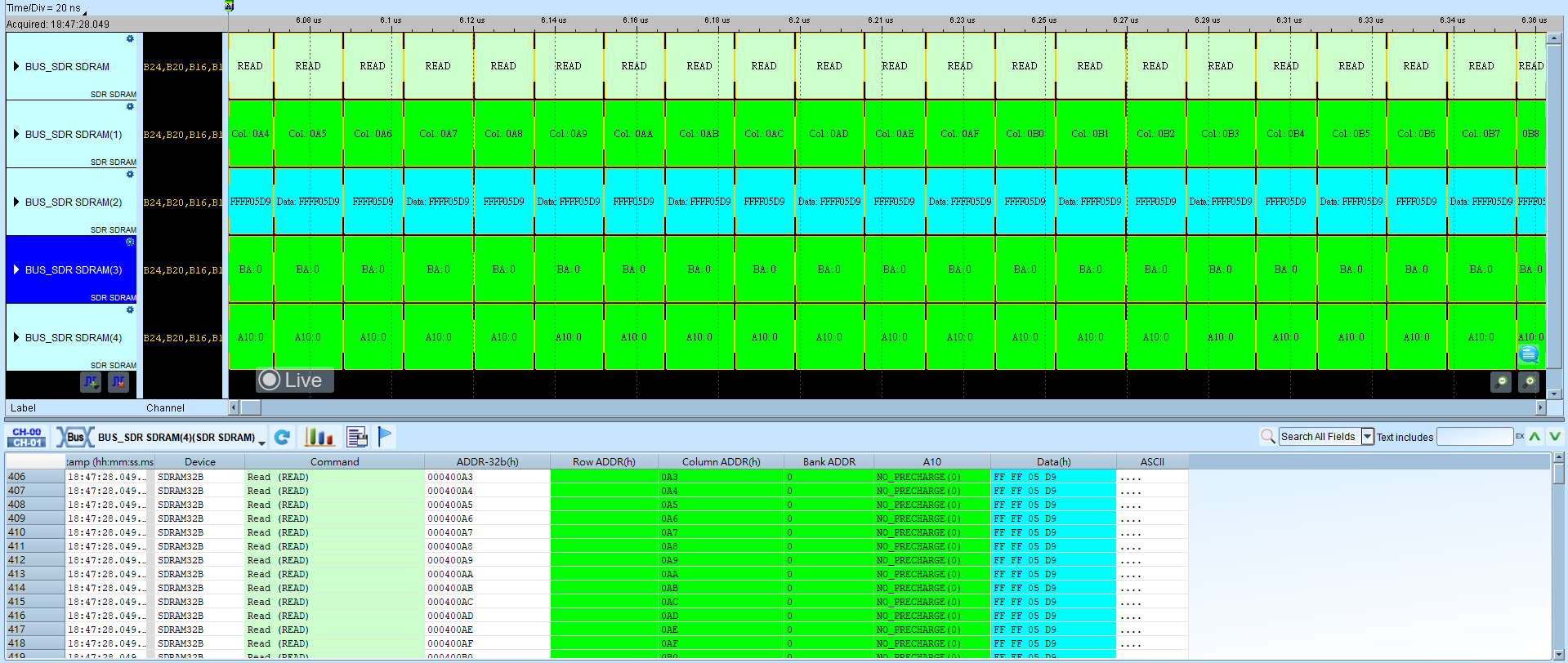
Check Parsing include Address and Data (Figure 2):