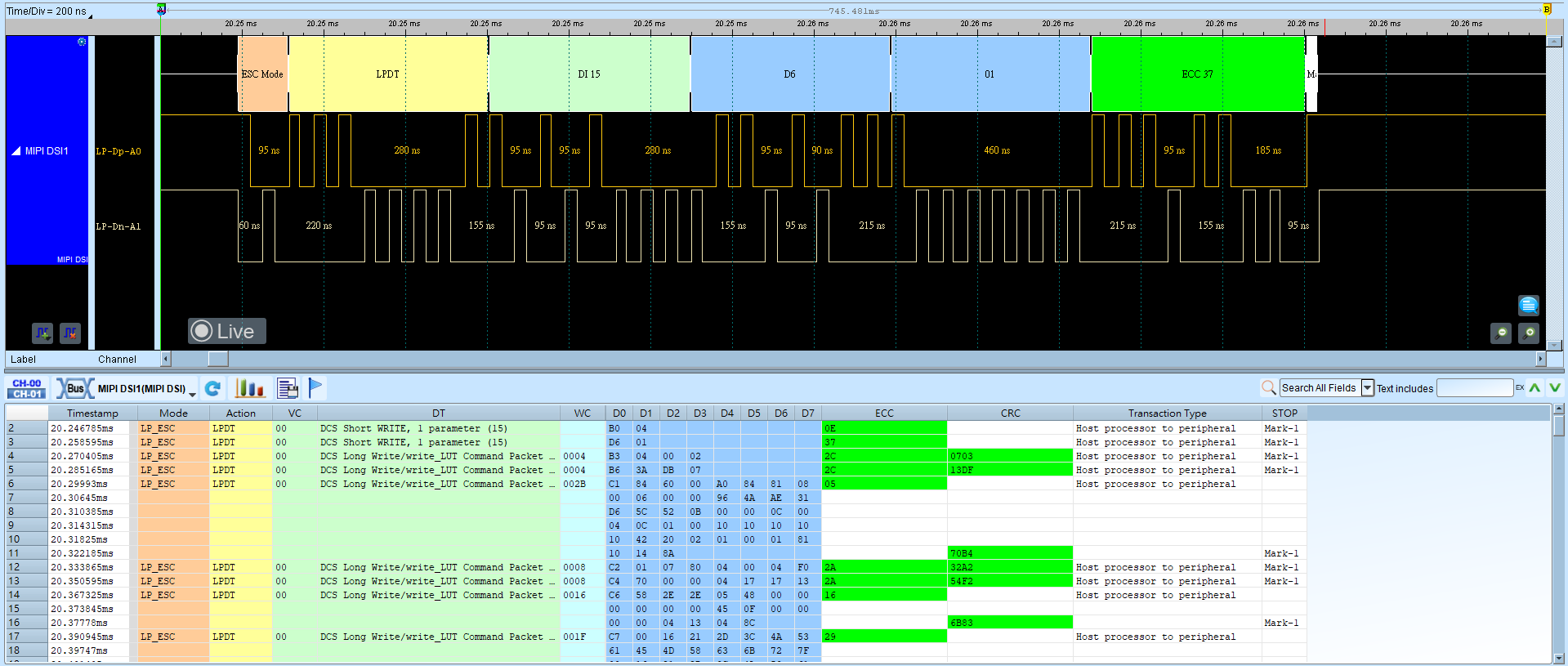
MIPI DSI LP (MIPI Display Serial Interface LP Mode)
MIPI Display Serial Interface (DSI) designed by the MIPI Alliance for protocols between a host processor and peripheral devices using a D-PHY physical interface. Operation modes include High Speed Mode and Low Power Mode (LPM).
Wrong Dp/Dn, HS mode lane setup, or Advanced Decode options yields incorrect decode. For channel-prefix differences, see Settings.
Decode Settings
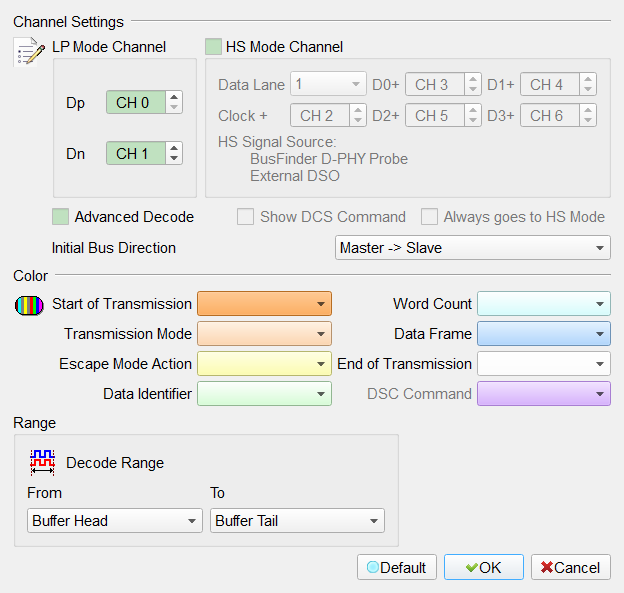
- Dp, Dn: DSI-LP signal lines.
- HS Mode Channel: Enable HS-mode channel setup. Field enabled (Enable) when checked. Default: cleared.
- Data Lane: DSI-HS mode Data Lane number (1–4). Default: 1. Field enabled (Enable) when HS Mode Channel is checked.
- Clock+, D0+, D1+, D2+, D3+: DSI-HS signal lines. Field enabled (Enable) according to Data Lane when HS Mode Channel is checked.
- Always goes to HS Mode: Ignore Dp/Dn status and decode all frames in HS mode. Field enabled (Enable) when checked (requires HS Mode Channel). Default: cleared.
- Advanced Decode: Enable DSI format decode and display. Field enabled (Enable) when checked. Default: checked.
- Show DCS Command: Enable DCS Command decode and display. Field enabled (Enable) when checked (requires Advanced Decode). Default: cleared.
- Initial Bus Direction: Master → Slave/Slave → Master. Default: Master → Slave.
- Invert Waveform: Invert the waveform. Field enabled (Enable) when checked. Default: cleared.
Result
Advanced Decode disabled:
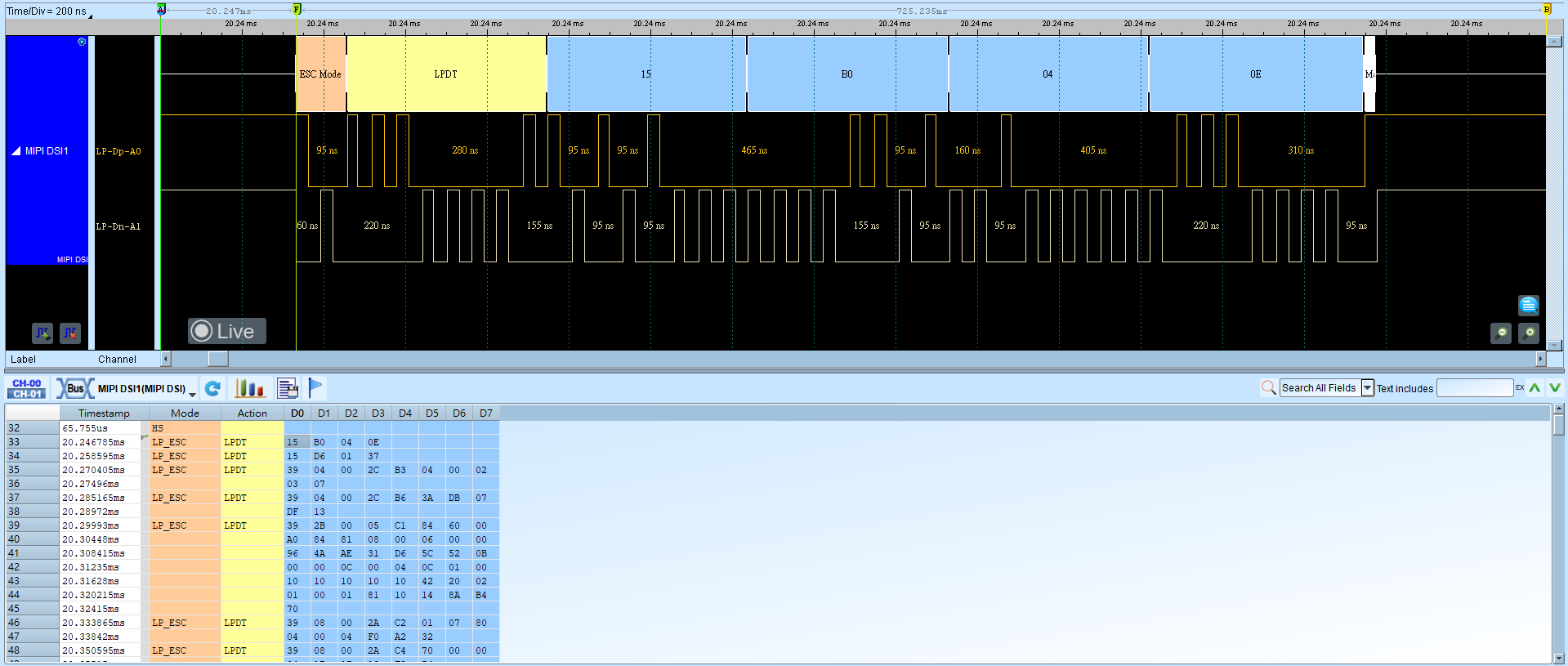
Advanced Decode enabled: