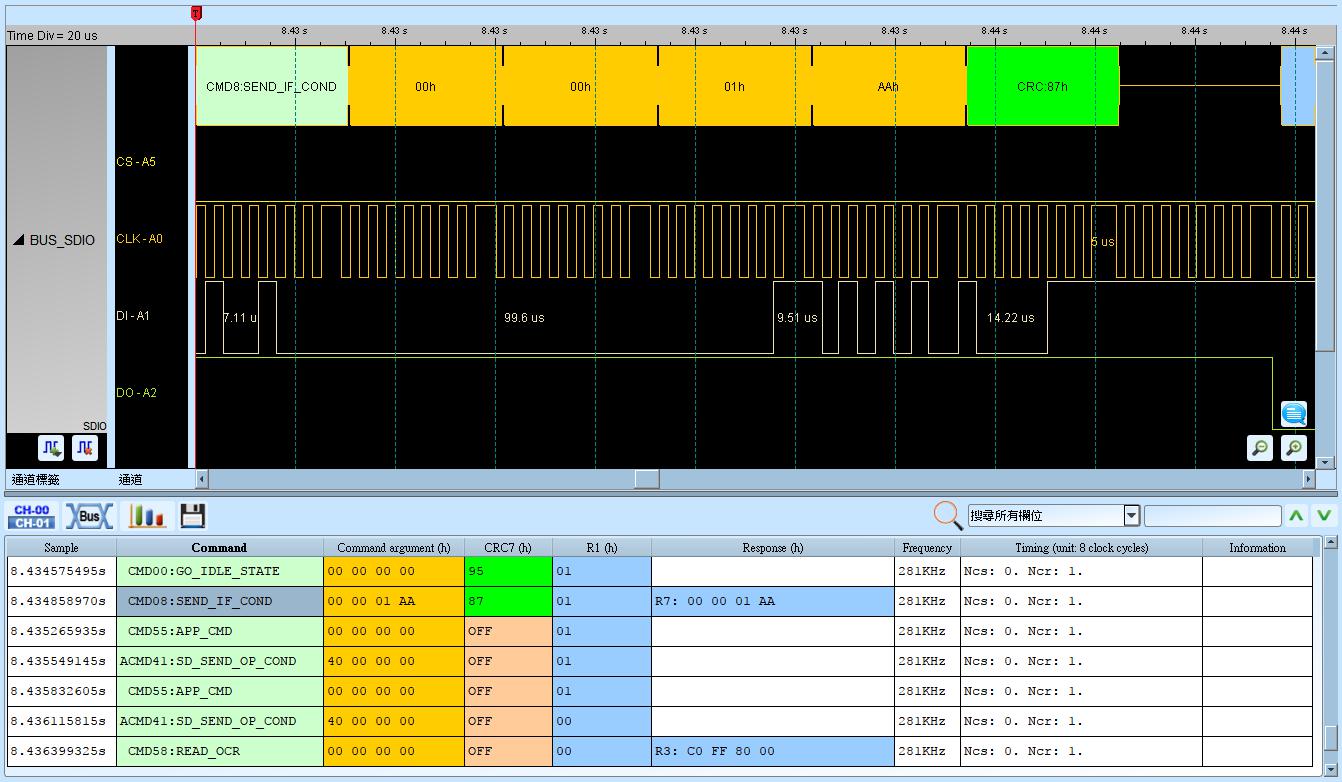
SD 3.0 (SDIO 2.0) (Secure Digital Input/Output)
SDIO (Secure Digital Input/Output) supports SD 3.0 / SDIO 3.0 memory-card standards.
Wrong mode (SD / SPI), Command vs Data selection, or bus width yields incorrect decode. For channel-prefix differences, see Settings.
Decode Settings
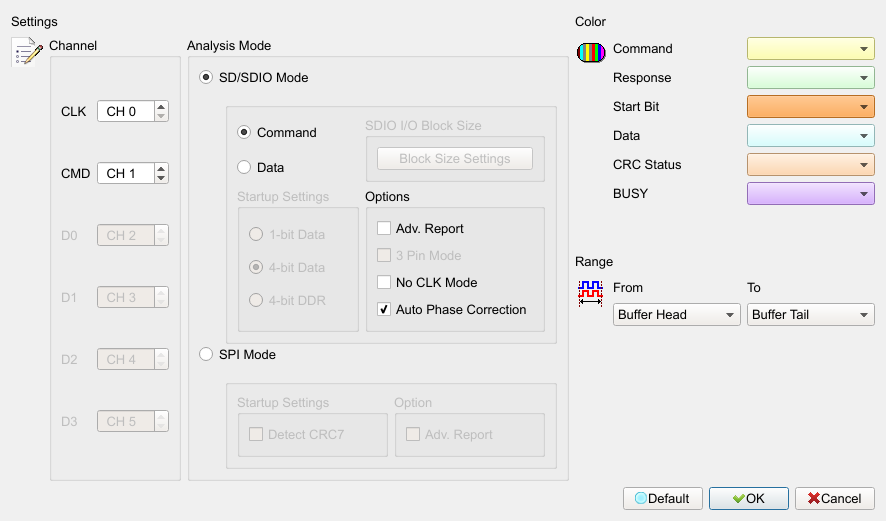
- Channel: Assign CLK, CMD, and D0–D3 channels.
- SD Mode: Analyze in SD mode. Default: this mode selected.
- Command: Analyze Command. Default: this option selected.
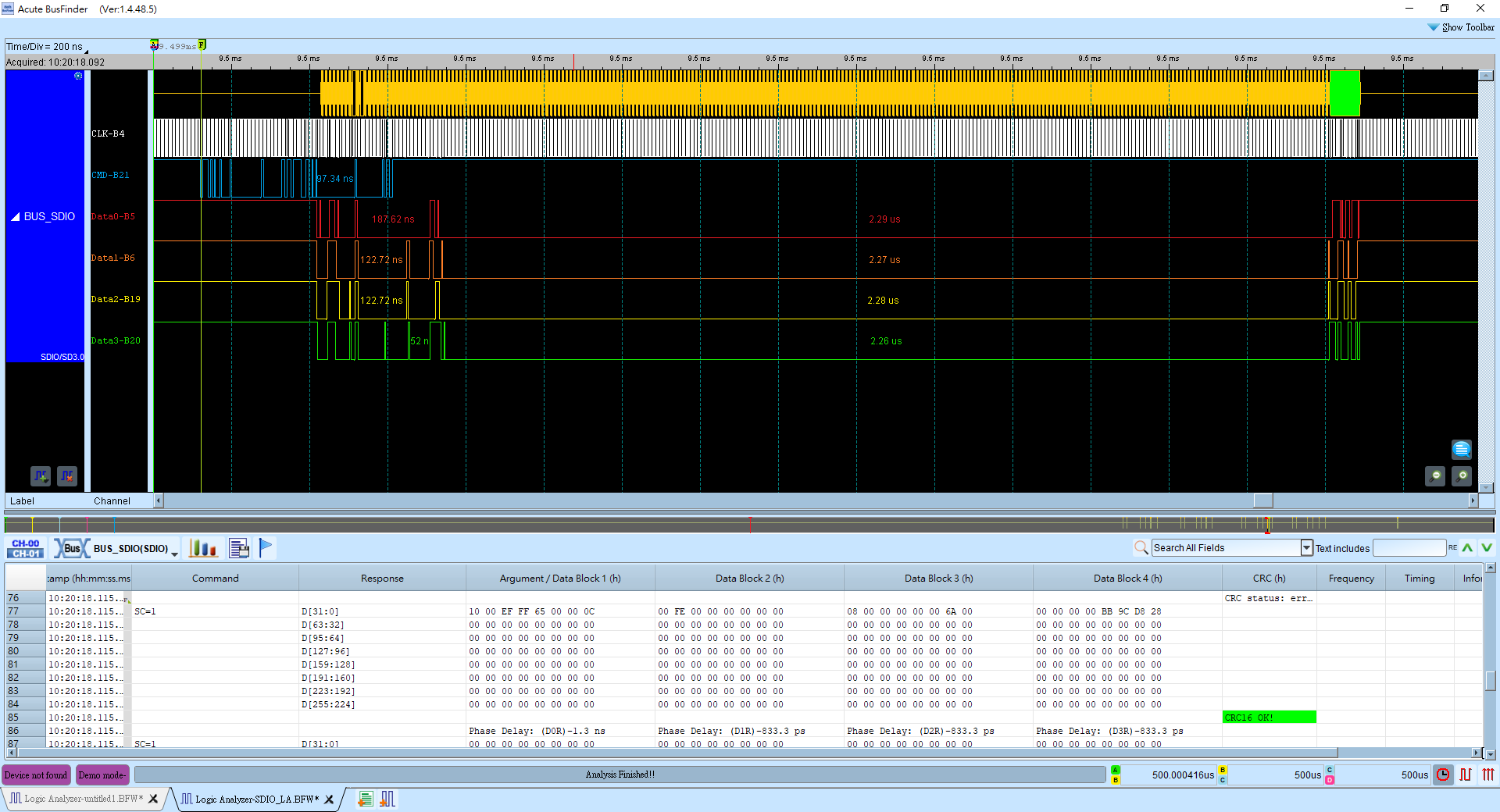
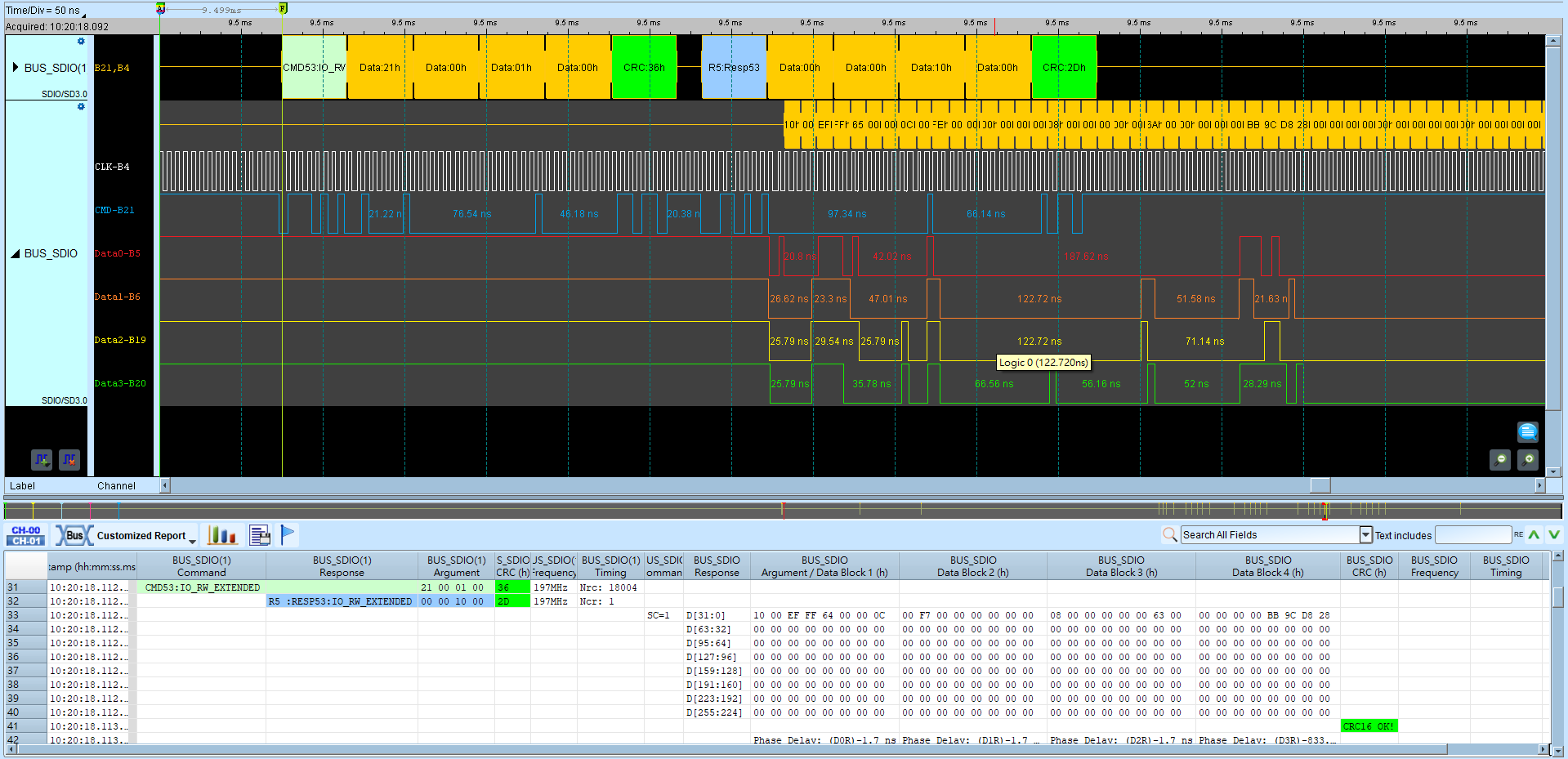
- Data: Analyze Data (1-Bit / 4-Bit / DDR options). Default: cleared (Command selected).
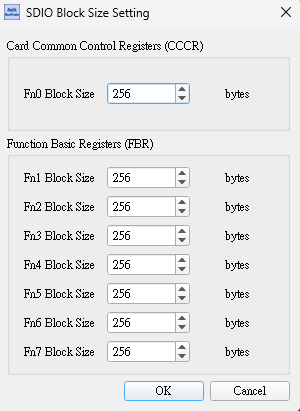
- SDIO I/O Block Size: Set SDIO CCCR/FBR block size. Default block length: 512.
- Adv. Report: Further decode Command argument in the report. Field enabled (Enable) when checked. Default: cleared.
- 3-wire mode: Analyze with CLK, CMD, and D0. Field enabled (Enable) when checked. Default: cleared.
- No CLK: Analyze using the CMD line only. Field enabled (Enable) when checked. Default: cleared.
- Auto phase: Automatically adjust measurement phase. Field enabled (Enable) when checked. Default: checked.
- SPI Mode: Analyze in SPI mode.
- Detect CRC7: Detect CRC-7. Field enabled (Enable) when checked. Default: cleared.
- Adv. Report: Show detailed contents. Field enabled (Enable) when checked. Default: cleared.
Result
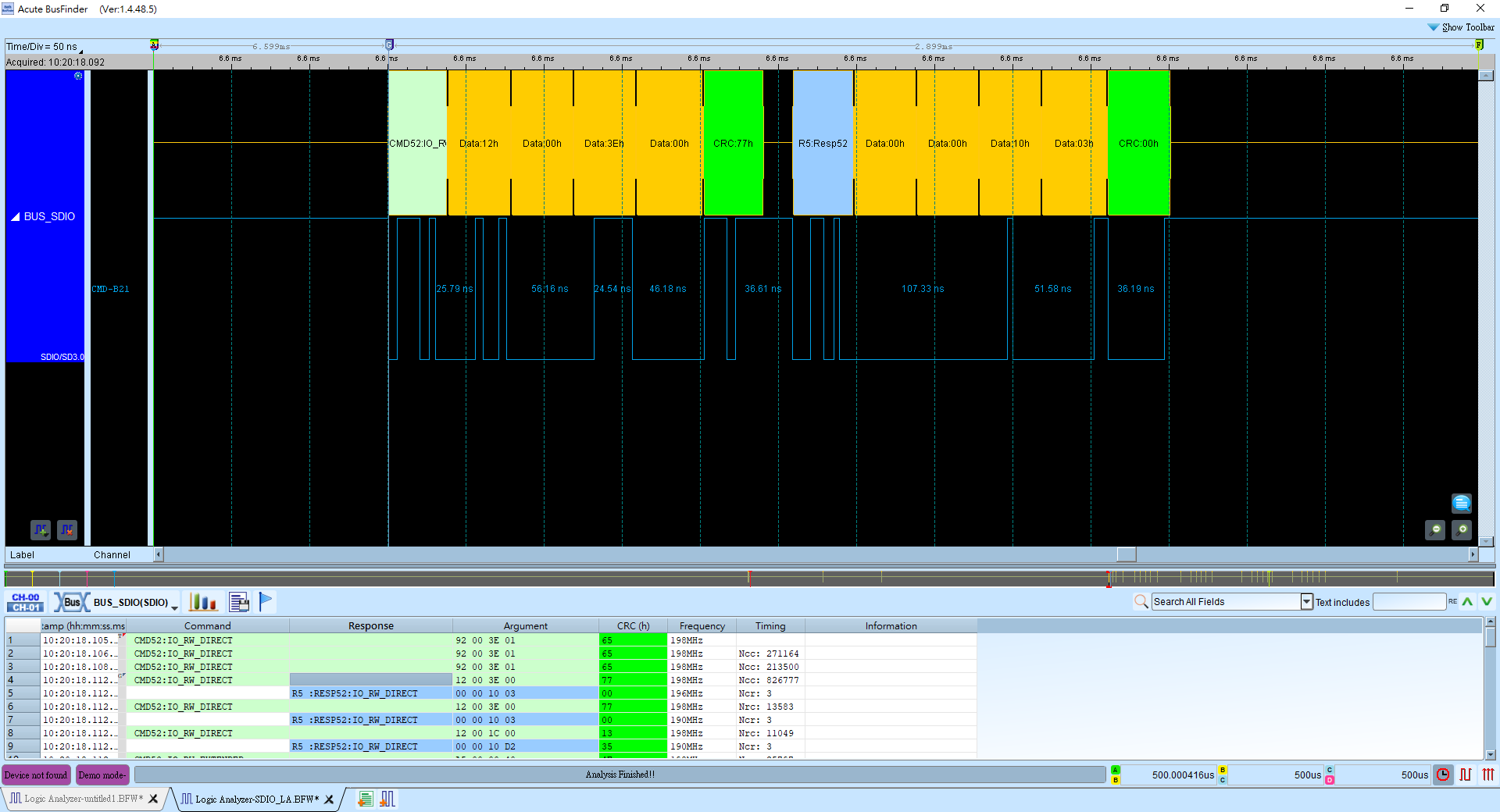
Command:
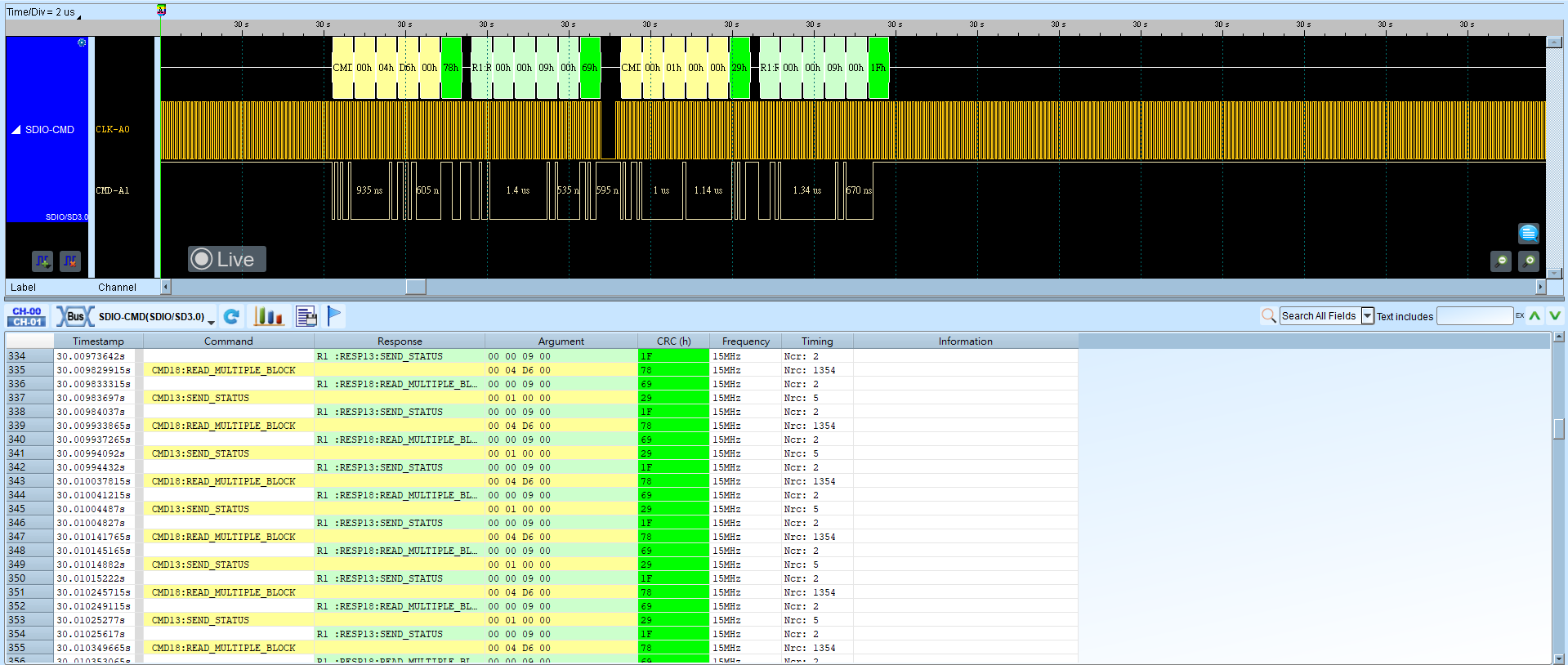
Adv. Report:
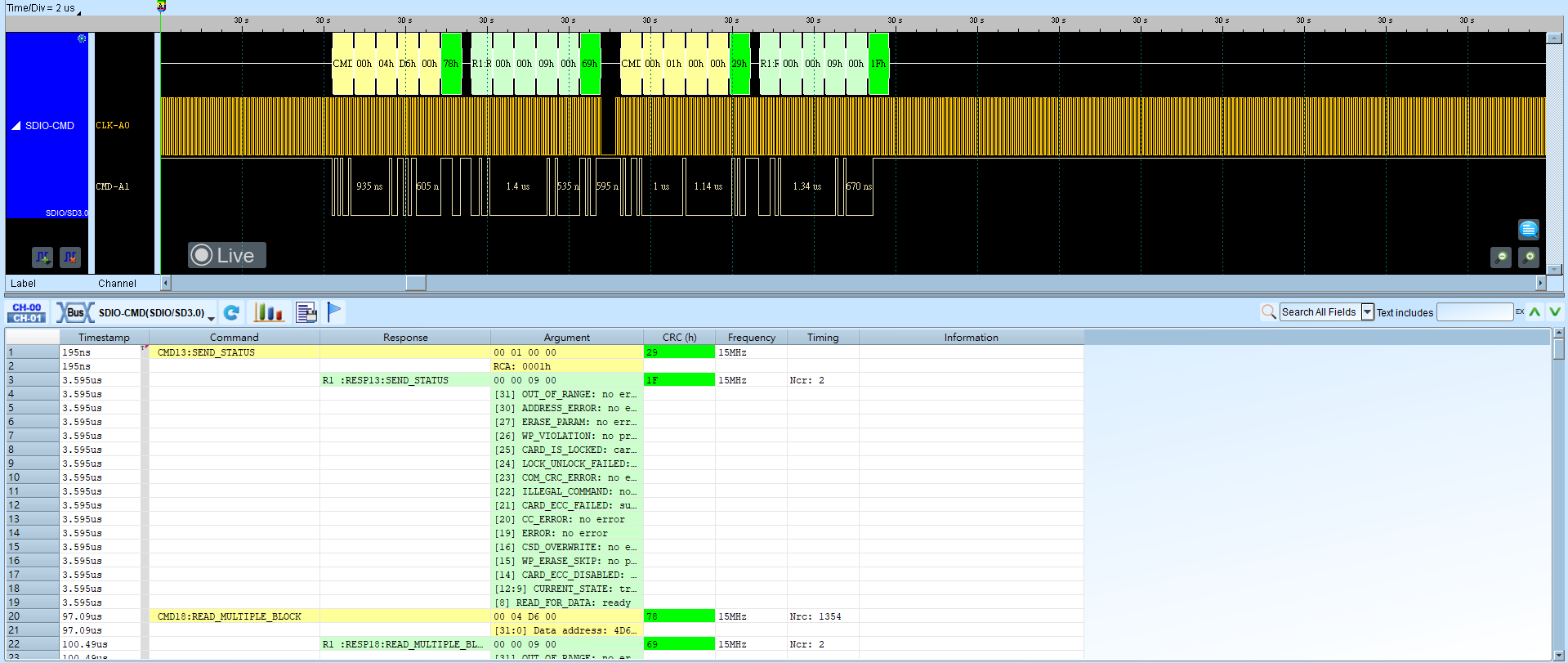
No CLK mode:
Data:
Command + Data mode:
SPI mode: