SD/eMMC Data Trigger
SD / eMMC Data trigger matches a Data Trigger Pattern after a selected Read / Write command, or fires on Timeout conditions.
Open from the toolbar “SD/eMMC Data protocol trigger”. See Settings.
Trigger Settings
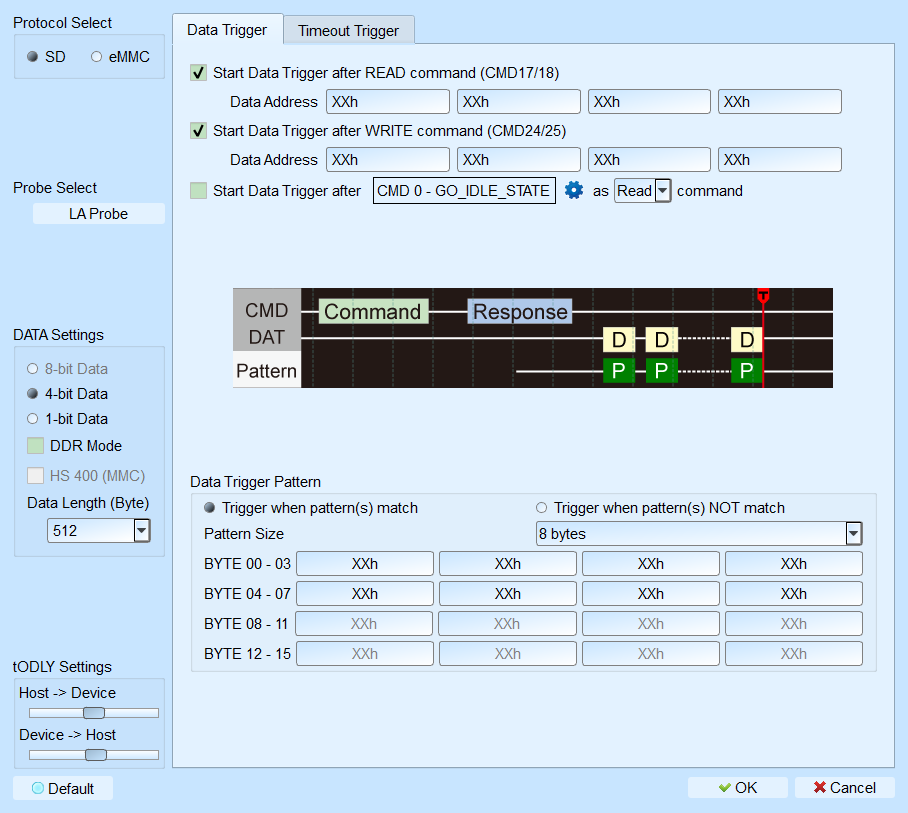
- Protocol Select: SD / eMMC. Default: SD.
- Probe Select: Select the probe in use.
- Data Settings: Bus width and mode. Default: 4-bit; DDR Mode cleared; Data Length 512.
- tODLY Setting: Host-to-Device / Device-to-Host delay. Default: Host-to-Device 0; Device-to-Host 500 ps.
- Data Trigger: When to start matching and the data pattern.
- Start Data Trigger after READ command (CMD17/18): After CMD17 / 18, fire when the Data Trigger Pattern matches.
- Start Data Trigger after WRITE command (CMD24/25): After CMD24 / 25, fire when the pattern matches.
- Start Data Trigger after “CMD” as “READ” command: Treat the selected CMD as read / write, then match the pattern after that CMD.
- Timeout Trigger: Checking Enable Timeout field-enables (Enable) the options. Default: Enable Timeout cleared; Data timeout after CMD/DATA selected among options; each timeout Default 5 ms; Busy Timeout CMD picks Default 17 / 18 / 24 / 25.
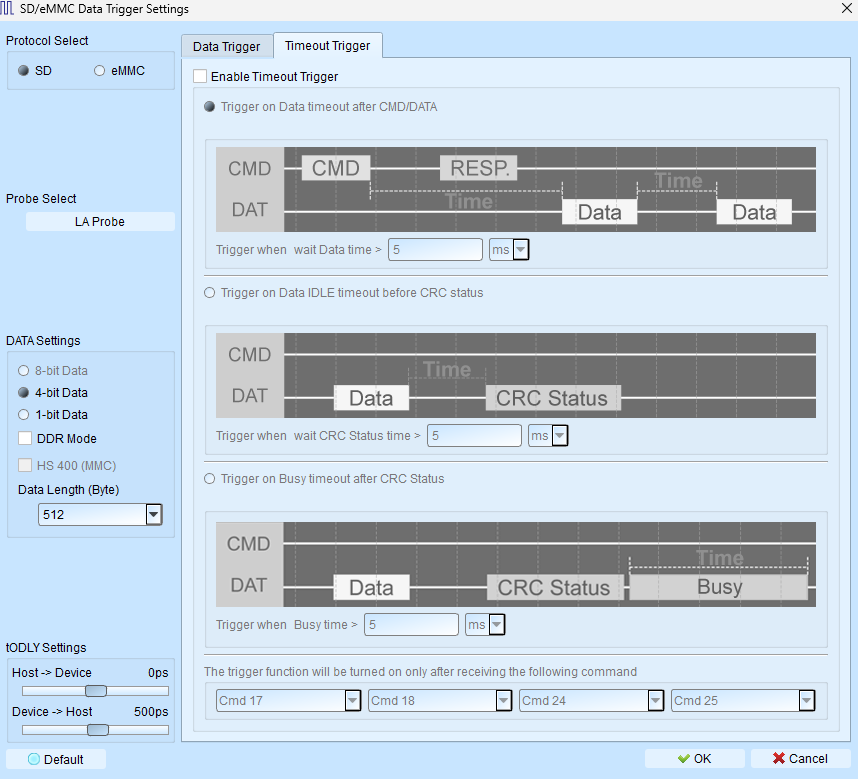
- Trigger on Data timeout after CMD/DATA: After Command or Data ends, Data stays idle past the limit. Default 5 ms (user-editable).
- Trigger on Data IDLE timeout after CRC status: After Data ends, idle before CRC status exceeds the limit. Default 5 ms.
- Trigger on Data IDLE timeout after CMD: After Command ends, idle before Data starts exceeds the limit. Default 5 ms.